
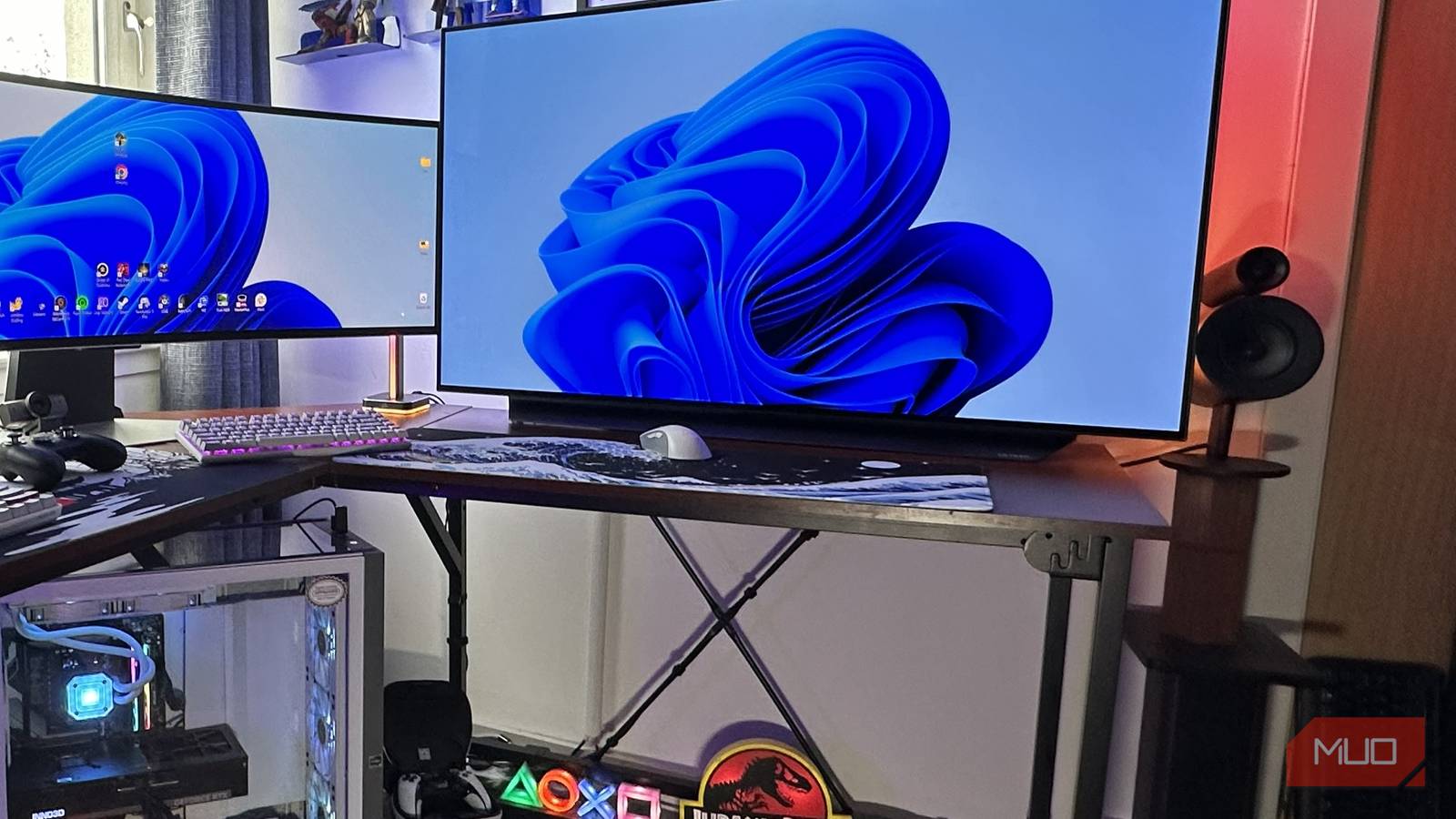
Untidy workspaces really grind my gears. I’m guessing that’s a result of working in a spectacularly cluttered office for the best part of a decade, many moons ago. This was a place where great bunches of knotted-up cables snaked all over desks, and where the walls were composed of 90% teabag stains. Ick. It’s no wonder I’m now obsessed with hiding my cables out of sight.
Good cable management takes some elbow grease, but happily, it’s also pretty dang cheap if you decide your home office or entertainment area needs a good dose of decluttering. With a few ultra-affordable accessories you can easily pick up online or from your local office supply store, you can have your workspace looking spic and span in short order. Let me give you some cable management tips that have helped make my office less of an iris-offending mess.
Prepping to declutter your setup
The early steps of tidying your tech
So you’ve finally decided to spruce up/declutter your home office or entertainment cabinet. Kudos! Here are five cable management tricks you should follow. Knowing you have a problem is the first step to recovery. As much as I take pride in both my bedroom and lounge tech setups being (mostly) free from visible wires, I’ve occasionally let my apartment get into a bit of a state because I couldn’t be bothered to organize my cables properly. As you can painfully see above.
Do yourself a favor and don’t give in to your unkempt side. Decluttering wires and other accessories that might be clogging up your floor really isn’t that difficult. And if you know which pieces of kit you need to pick up, removing cables from your eyeline will cost you barely anything.
Your first step before you untangle all of those wires that might be hanging around your monitor or TV is to unplug everything. I don’t care how many HDMI, DisplayPort, or power cables you’re dealing with; get them unplugged.
From there, you need to untangle the nest of unruly wires so that they’re all separated. I know my Samsung Odyssey OLED G9 needed serious cable management when I was setting it up with my current PC.

- Resolution
-
5120×1440
- Screen Size
-
49-inch
- Brand
-
Samsung
- Connectivity
-
1x HDMI 2.1, 1x DisplayPort 1.4, 2x USB-A 3.0, 1x Headphone Jack
- Max. Refresh Rate
-
240Hz
- Response Time
-
0.03ms
The Samsung Odyssey OLED G9 is a 49-inch super ultrawide gaming monitor with a 240Hz refresh rate.
This is probably the most painful part of the process, and it’s akin to solving a Rubik’s Cube that keeps resetting itself every 99 seconds. Persevere, though, and you’re well on your way to willing a tidier desk/TV area into existence.
Once you’ve untangled your wires, give your desk or TV cabinet a quick wipe-down before proceeding. If your setup is anything like mine before I dedicated myself to getting my cables under control, your work or entertainment space might well be encrusted in dust.
Handy gear for hiding those cables
What you’ll need to tidy those leads away

Dave Meikleham MakeUseOf
I’ve bought a lot of cable-uncluttering accessories over the years. I’d wager the total sum of buying a lot of little things that have made wire management relatively easy for me is way less than $100. So if you want to rid your desk setup of unruly crumples of wires, it’s not going to hit your wallet all that hard.
My go-to pieces of kit for tidy cable management? A mixture of cable trunking, cable management boxes where you can stuff all of your wires out of view, and cable ties. For the latter, it’s better to go with Velcro options over traditional cable ties, as you’ll be able to reuse them next time you reshuffle your setup.

These 3 Desk Accessories Are Essential to My Setup
Small additions, major upgrades.
I use cable trunking for both my home office monitor and main TV arrangements, and these cheap pieces of cable-concealing equipment will normally attach to your wall in a flash thanks to their self-adhesive strips. A word of warning if you’re a renter: don’t install trunking, as the damage it can cause to wallpaper could potentially violate your deposit conditions.
The benefits of tidy tech
Decluttering my setups has made me enjoy my technology a lot more

Dave Meikleham MakeUseOf
Since I tidied up both my office space and my TV area, I can happily report that I’m enjoying working and gaming in my apartment without the constant guilt of being a mucky pup. When my dual setups were a bit of a shambles, a tiny voice in my head would perpetually nag me. “Clean up your tech mess, you savage slob!” Admittedly, I might have cleaned up the language from that internal monologue a smidge. Oh, and don’t ignore cleaning your PC while you’re at it.
Seriously, though, I find it easier to concentrate when there are few visible distractions on my desk… or on the floor under it. Similarly, I can slip into my favorite movies or some of the best PC games with a weight lifted off my shoulders when untidy clusters of cables aren’t trying to sneak into the corner of my eye.
On the work front in particular, the fact that I’m no longer constantly needling myself to see my HDMI and DisplayPort cables hanging behind my super ultrawide monitor that has made work easier, and has at least given me one less excuse for being distracted when writing for MUO in my office.
Tighten your tech with a decent declutter
With an assortment of affordable cable-management accessories, you can easily breathe new life into your office or entertainment space. Looking back, I regret those years when I was far too content working in spaces where wires dominated my viewpoint.
Now that I’ve finally decluttered at long last, I can work and chill out without persistent guilt. If you feel like your tech setup is getting a little messy, do some decluttering. I guarantee you’ll feel better afterward.
