
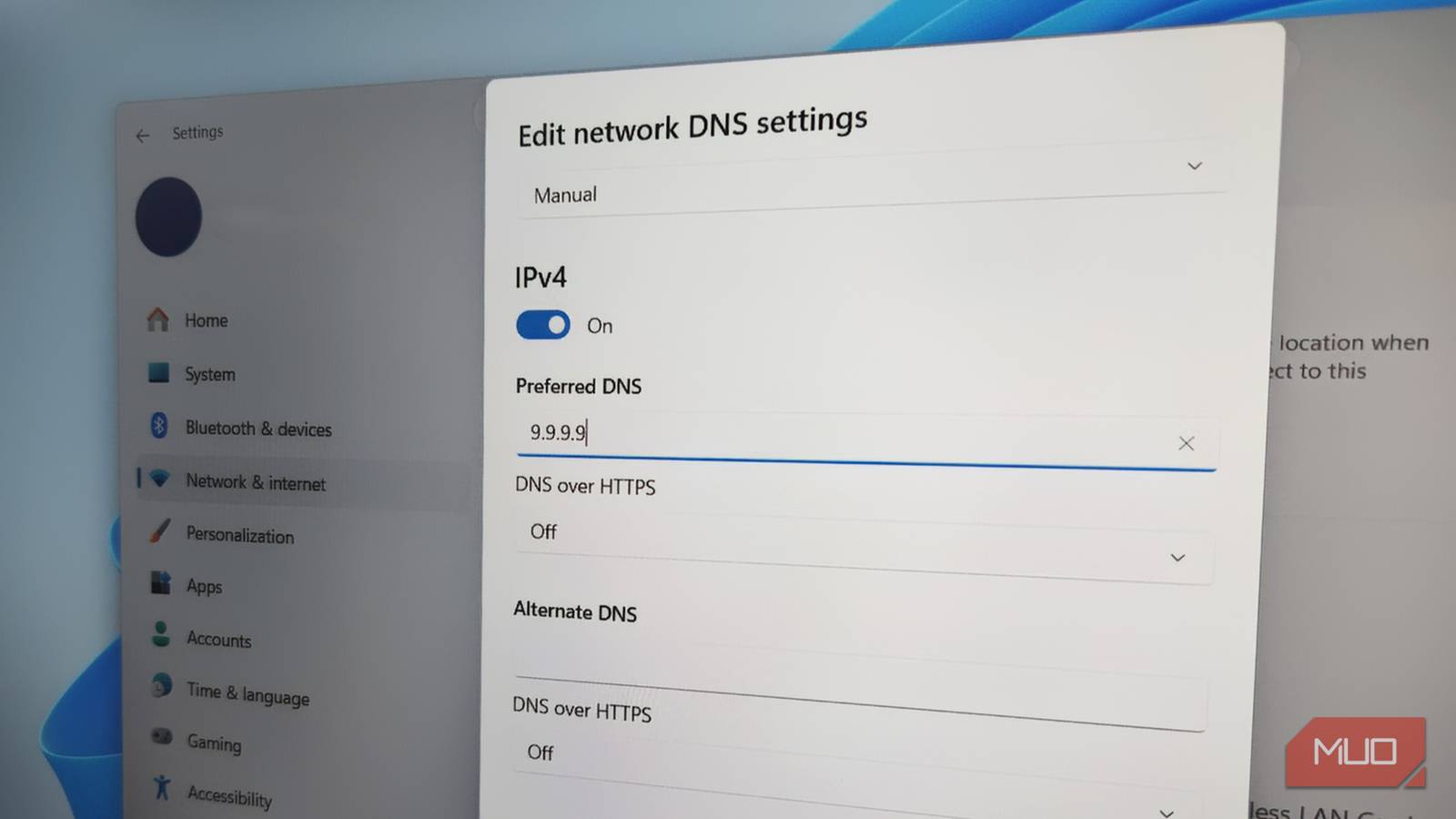
Like most people, I used whatever DNS my ISP gave me and assumed that was good enough. But after running into slow page loads and realizing the privacy benefits of third-party DNS services, I decided to give Quad9 a try.
Quad9 is a recursive DNS service that puts privacy front and center with a strict no-log policy. At the same time, it does a great job of protecting you from malicious websites, phishing, and malware. It’s also fast, reliable, and completely free, so switching to it ended up being one of the easiest decisions I made.
Why bother changing the ISP’s DNS at all?
What your ISP doesn’t optimize for
DNS is something most people don’t bother about because the default one just works. And since its job is to just translate website names into IP addresses, it doesn’t seem all that important. But the default DNS from your ISP has tradeoffs that really matter.
For starters, speed isn’t always a priority for ISPs when it comes to DNS. This means during peak hours, DNS lookups can lag just enough to make browsing feel sluggish. In these cases, you might blame your device or the internet connection when the problem is actually the DNS.
Privacy is another overlooked issue. If you think about it, your DNS queries reveal almost everything there is about your browsing habits. When you stick with your ISP’s DNS, all those requests pass through that system, which means they can log, analyze, and even monetize that data if they want to.
Finally, there’s the lack of security. Many ISP DNS services aren’t designed to protect you against malicious domains. Doing this requires constantly updating threat intelligence, which costs more money. This means if you accidentally click a phishing link, your DNS won’t step in to stop you.
All of these things mean the convenience of sticking with the default DNS comes at a huge cost, and that’s reason enough to consider switching to a better alternative.
Quad9 is all about privacy and security
Built to protect

When I first started looking for alternative DNS services, Google DNS and Cloudflare were the two that kept coming up. They’re undoubtedly great, but I went with Quad9 because of its strong focus on privacy and security.
Let’s start with privacy. Quad9 has a strict no-logging policy. That means your DNS queries are not stored in any way. You’re not profiled, tracked, or analyzed in the background. Quad9 is a non-profit organization that’s bound by Switzerland’s strict internet privacy laws.
Security is another strong suit of Quad9. It actively blocks access to malicious domains at the DNS level. Every one of your DNS requests is checked against updated threat intelligence feeds. So if you unknowingly try to open any domains associated with malware, adware, phishing, or scam, it simply won’t load.

Your router and phone are probably fighting over DNS without you realizing it
How a DNS conflict might be slowing down your phone’s internet.
Speed and reliability without the cost
Who doesn’t like that?
Even if privacy and security are not on the top of your list, there’s still another reason to ditch your ISP’s DNS for Quad9: speed.
Quad9 operates a global network with over 200 locations spread across 90 countries. This matters more than you think, because DNS performance depends heavily on how close you are to the server handling your request. The closer the server, the quicker the response. In daily use, the difference is subtle but certainly noticeable. Your internet feels much more responsive simply because the “finding the address” part of the process got quicker.
Another benefit of having such a widely distributed network is reliability. If one node has issues, another can take over seamlessly. You’re not relying on a single, potentially overloaded system like you often are with ISP DNS.
Quad9 provides three different DNS configurations depending on what you want.
- 9.9.9.9 – This is the standard option with full security filtering. This is the one that most people should use because it blocks malicious domains while keeping performance fast.
- 9.9.9.10 – This version comes without security blocking. It’s useful if you want pure DNS resolution without any filtering.
- 9.9.9.11 – A secured option that also supports ECS (or EDNS Client Subnet), which can improve content delivery accuracy in some cases.
Once you’ve picked your preferred Quad9 DNS configuration, setting it up on your device is as easy as it gets. Quad9 offers detailed setup guides for different operating systems on its website.
There are other options too
The best part about Quad9 is that it is completely free. There’s no subscription or tradeoffs where you pay with your data. Quad9 is funded entirely by its users, so you’re not giving anything in return for a reliable DNS.
Besides Quad9, there are other options too. AdGuard DNS is great for blocking ads system-wide. If speed is your top priority, Cloudflare and Google DNS are both excellent. OpenDNS is a popular choice for customizable filtering and parental controls. The good thing is you can switch between these DNS services however you like.
