
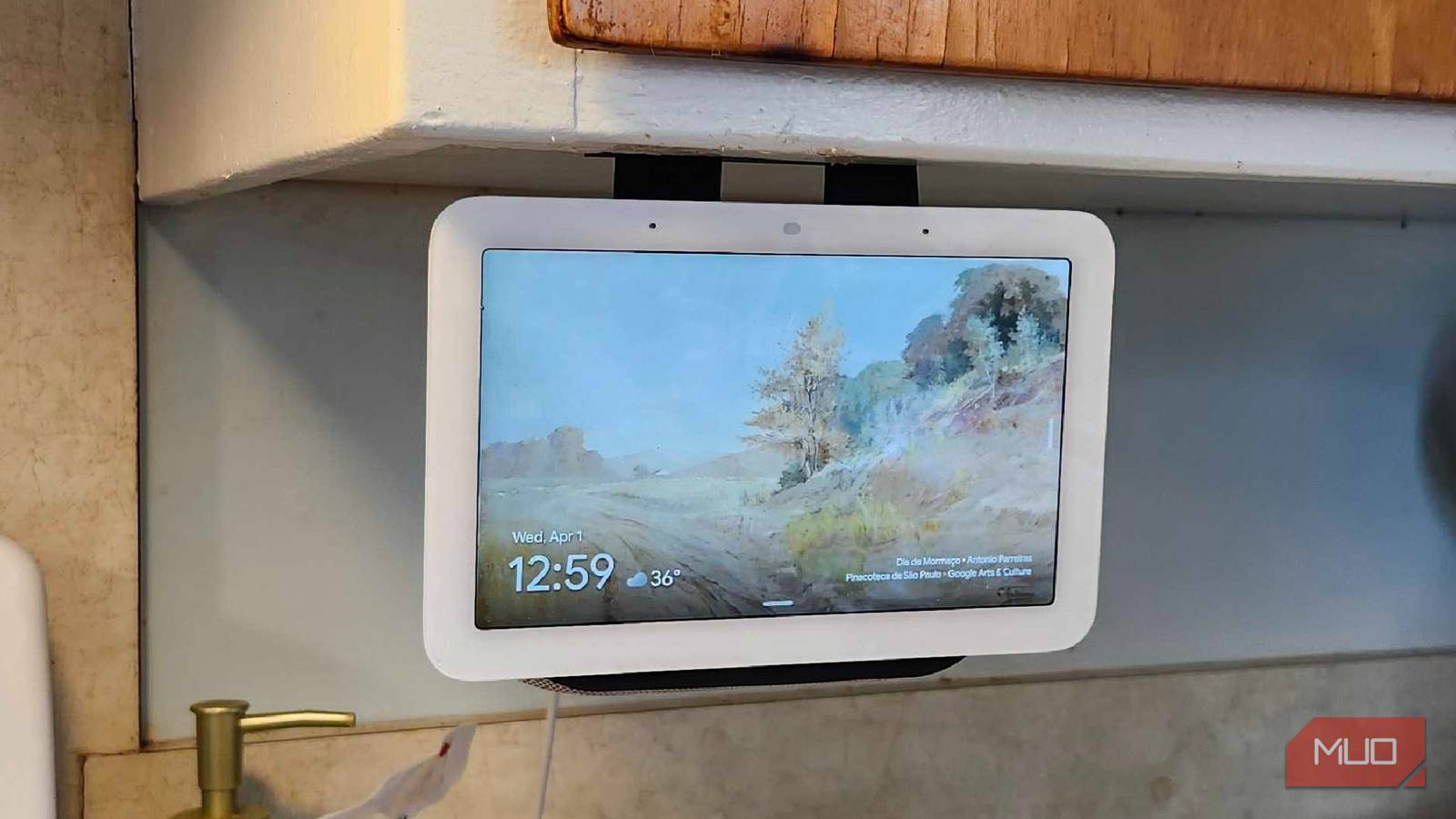
My Google Nest Hub is one of my favorite pieces of smart home tech, nestled in my kitchen and always ready to receive instructions. While we’re a split 50/50 Alexa and Google household, I’ve always enjoyed using my Nest Hub a little more than the Alexa version. One of the reasons is the built-in presence sensor in my Google Nest Hub 2nd Generation, which ties my smart home together.
Quick gestures like holding your hand up to stop music when they’re covered with raw chicken goo, Home/Away controls, and more make it the de facto gadget in my home, and many people don’t even realize this feature is a thing. The Soli Radar and Ultrasound features may make this an essential household item for some, and a reason to avoid it for others.
Easier home/away automations
Big Brother always has its eyes on me, but I’m boring
As scary as it sounds, the Nest Hub is always kind of watching. But there’s no camera? How does it do that? With the Soli Radar and Ultrasound, which lends itself well to home/away automations. If I’m at home, my heat is set to a balmy 70 degrees, or my air conditioner can kick on during the summer. Rather than relying solely on my GPS data, which can be a bit iffy at best, the presence sensor in my Google Home can detect whether my wife or I are moving around. If it doesn’t detect that we’re at home, it can turn things off.
Using the built-in Soli Radar, it can detect physical presence. The legacy ultrasound sensors can detect inaudible sound to map how far people are from it, and touch & voice sensors can magically wake it up and switch it back to “home” mode. Smaller animals like cats and small dogs typically won’t set this off, but if you’ve got a big ol’ puppy roaming around the house (or roaming around outside where they shouldn’t be)? It could mistakenly sense it as a human, which is why the GPS pairing with phones makes this work quite a bit better than you’d expect in a house full of pets.

- Brand
-
Nest
- Display
-
7″ Touchscreen
- SMART ASSISTANTS
-
Gemini
Sleep tracking without wearables
If you keep a 2nd Gen Nest Hub on your bedside table, it can function as a sleep tracker
Now, this is something I was completely unaware of when I bought my Nest Hub 2nd Gen, and it may be why it moved from the kitchen to a bedroom. Using the Soli Radar, the Nest Hub 2nd Generation can track microscopic movements when you’re sleeping, track disturbances, and give you some additional reasons why you may have slept like hot trash. For people who tend to struggle with the idea of wearing a smartwatch to bed to track their sleep, this hands-off approach may be more accessible.
By using features like Spatial Filtering, the Nest Hub will only focus on you and you alone while you’re sleeping. If a pet comes into the room, or someone leaves to go to use the restroom or something similar, it stays focused entirely on you. Seeing as Soli Radar Waves are also processed locally on the device, you don’t need to worry about sensitive information being relayed to Google servers or anywhere else, for that matter. There is also a specific privacy commitment from Google regarding the Nest Hub lineup, which you can see here. It’s more of a motion sensor than a security camera; you can rest easier, both literally and figuratively. Sleep Sensing is a preview right now and will need a Fitbit Premium subscription in the future, but rest easily knowing you can still use it for now.
A more dynamic user interface
The UI becomes bigger and clearer across the room

This is one of the nicest parts of the presence sensor overall. If I’m across the room in the kitchen, I still want to be able to see what’s on the display. It will make things bigger, bolder, and easier to decipher from a distance, and when I get closer, it’ll automatically switch back to normal. To be fair, it’s typically the basics when I’m at a distance, with things like weather, time, and general information displayed in a larger font. But once I walk up to it, it’s back to normal once again.
Seeing as the Google Nest Hub defines “far” as roughly four feet, it works perfectly in my kitchen to display larger timers or other information. It’s a neat little feature, and one that comes in handy when I’m halfway across the room trying to whip something up for dinner and need to know how long I have before something else is done.
The privacy concerns
Even though Google swears it’s not saving info, it’s still creepy

Imagine this: you go over to a friend’s house, and you’re sleeping on the couch in the living room. You walk past their Nest Hub, and suddenly it springs to life, showing you everything on the main display. It can feel creepy, making you feel like you’re always being watched. While there aren’t any cameras on the Nest Hub 2nd Generation, unlike the bigger Nest Max Hub, it’s still a very uneasy feeling for those who are more privacy-minded and don’t like the idea of an invisible sensor seeing everything they’re doing.
To be fair, I’ve gotten jump scared at night more times than I’d like to admit because of this thing randomly detecting that I’m walking through the kitchen to grab a glass of water at the early morning hours. Even with the “promise” of no data selling by Google on this particular device, I still wonder what else they’ve heard me say or do in my spare time. Admittedly, I turn into Gordon Ramsay in the kitchen, so they’ve heard some colorful language. I can guarantee that much. At least there’s a physical mute switch to ensure they can’t hear everything.

Your Smart TV Might Be Watching You—How to Check Your TV for Cameras
Your TV might be binge-watching you—here’s how to find out.
It’s a pretty slick feature
As long as you don’t have someone whispering in your ear that it isn’t
Without even realizing that it was there when I bought it, the presence sensor has become a trusted ally in my battle to turn my smart house into a smart home. My thermostat can power on and off in an instant when I leave or enter the house, my lights can dim, and so much more. It’s pretty slick, as long as I disregard the digital boogeyman that some might frame it as.
I’ve had my Nest Hub for a few years now, and it keeps finding new ways to shock me. At this point, I don’t see a reason to upgrade to anything else when the inevitable next generation comes out, since this does everything I want and more.
