
Your phone has so many features that you probably haven’t even used before. Unless you’ve done the deep dive of going through each Settings menu and application that comes preloaded onto your phone, you likely aren’t fully aware of its potential. I know when I’ve set up a new phone, I usually install apps that I know I’m going to use, make sure my contacts are lined up, and then go about using the phone for text conversations, emails, social media apps, and web surfing. I don’t always look into every single feature that is offered. I might be in the minority, but I feel like I’m not.
Anyway, most phones have some form of document scanner built into their operating systems. If you haven’t used them before, it’s different than just taking a picture, as they can scan a singular portion of the screen and capture it to a file. It’s helpful, but you can also use your document scanner for other reasons as well, proving how useful it can be.
Scan receipts for later usage
It beats having to keep track of pieces of paper
On Android phones, you can scan documents through Google Drive by hitting the + button and Scan. For iPhones, you can search for Scan in your phone’s Search, and it will bring up the document scanner.
When you’re thinking of a document scanner, you will likely think of putting a stack of pieces of paper onto a scanner or an all-in-one printer and having it run through a number of them. This is often used in an office setting with the scanner being its own separate machine. If you’re using your phone’s scanner, you can still use it for large documents and full-size pieces of paper.
Something that I like to do is use my document scanner to scan receipts. As someone who travels for work on occasion, I need to keep track of my expenses and keep receipts. Rather than snapping full photos and having to send those off to the finance department, I scan the receipts, which takes only the receipt itself and saves that portion of an image into a file.
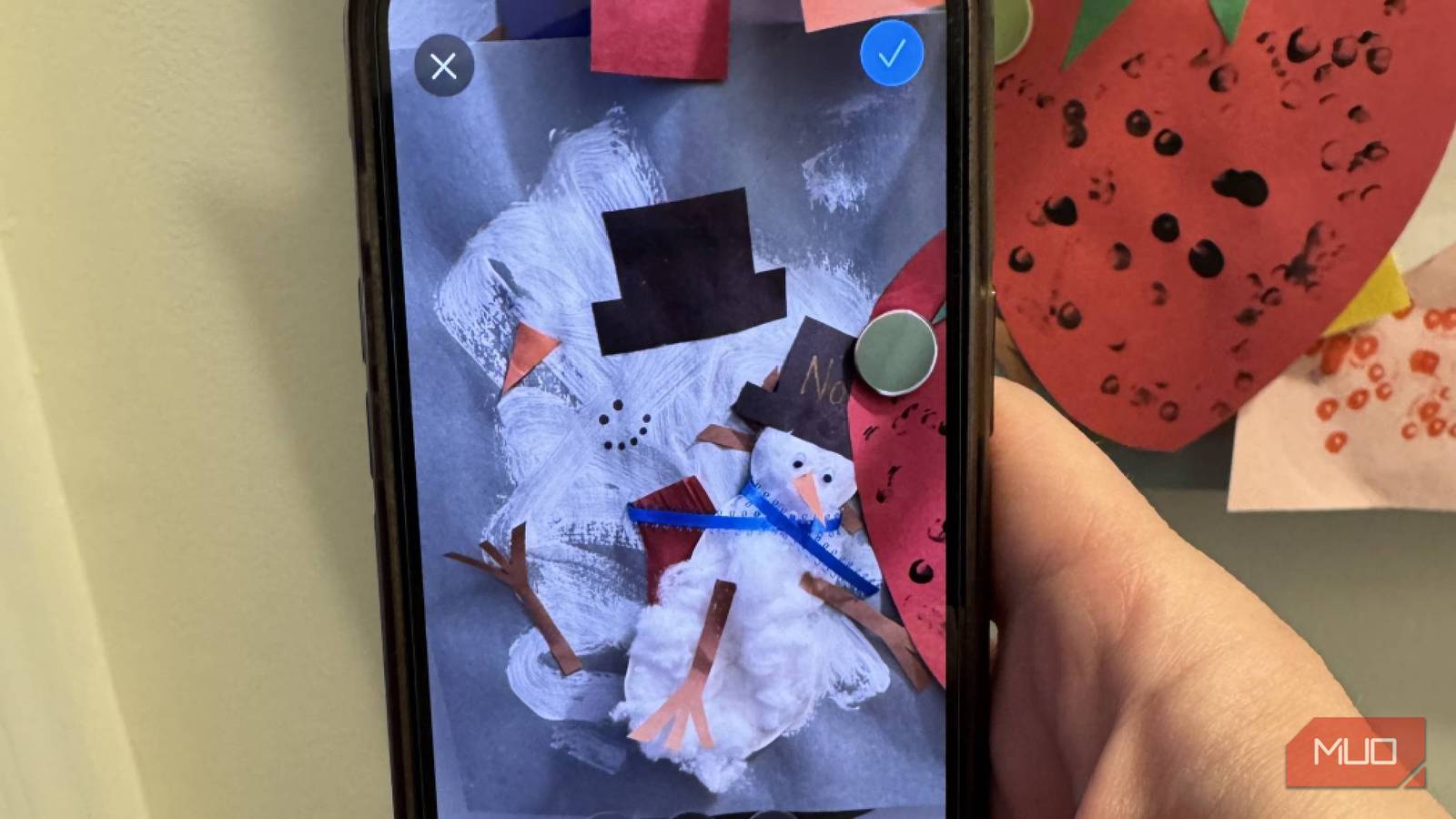
So what are you supposed to do with all the art projects you get without having to physically store every construction paper cutout and paper plate with colored pencil all over it? You can scan them with your document scanner and keep a file of them forever.
Once I have the files, I can combine them into one larger image and send that off for my expense reimbursement. It’s much less fuss than having to store small, flimsy paper receipts in my wallet and trying to keep track of them later on. I’ve been on week-long business trips before, and having to track every meal and transit receipt can be cumbersome. By quickly scanning my receipts when I get them, I have them in my phone and ready to send off in a much simpler fashion than a .jpg or .HEIF file.
Also, it’s a great way to keep track of things for your taxes. I’ve had expenses for my office that I’ve purchased throughout the year. I will scan the receipt in March and have it stored on my phone for my tax submission in April of the following year. If I had to try and store the paper receipts and then remember where it was nearly a year later, I’m almost certain I wouldn’t find them all.
Save pages in a book with your scanner
It helps me stay fresh for studying and presentations

While you can take photos of pretty much anything to store it, document scanners can be more efficient in terms of locking in the exact portions of what you’re trying to capture. It cuts out the background and focuses entirely on what you are hoping to scan. Most document scanners can autocapture images and you can then go and edit them after.
Some people, like myself, still enjoy reading physical books. Getting a book out of the library and enjoying a true page turner is a pleasure for many, even when e-readers are some of the most popular handheld devices on the market.
When you have an e-reader, you can highlight different passages in a book and bookmark them for later use. You can refer to them whenever you want. But, if you have a physical book, other than using a highlighter to mark a passage, it’s less easy to do so. If you’re using a physical textbook to study for an exam, or you want to note something from a book you read to bring up for a presentation later on, using a document scanner on your phone is a smart way to capture the text.
This can mark just the page itself and capture it. Once you have that on your phone, you’re able to edit the scan and add anything you might want to it. I’ve used this for presentations before by highlighting something in a book and saving that to my phone, so I can quickly access the passage without having to carry a physical book with me from place to place.
You can rename your files on your phone, making it easy to sort and organize them. This gives you plenty of opportunity to keep those words with you wherever you go (because we are assuming you’re bringing your phone with you wherever you go because who goes anywhere without their phone in this day and age?)
Keep your kids’ artwork forever
This takes up much less space in your home

I love my kids. I love any time they are so excited to bring me an art project they did at school. Are all the art projects worth keeping? That’s up to the parents. For me personally, they’re not.
So what are you supposed to do with all the art projects you get without having to physically store every construction paper cutout and paper plate with colored pencil all over it? You can scan them with your document scanner and keep a file of them forever.
Rather than all these projects taking up space in your home, storing them as files gives you more flexibility for future use. You can preserve them digitally and not hurt your kids’ feelings when you toss them out.
Down the road, you can make collages of them or create photo books of all the projects your kids did that year in a fashion that’s easier to store and keep. TYou can add them to physical photos as well that you scan with your document scanner, combining two forms of physical media into one digital asset. This is something I started to do and I’m excited to put together fun collages to highlight my kids’ creative genius.
Document scanners don’t have to be used solely for documents
For most phones, you can scan documents without having to feed them through a machine. But you can use your document scanner for a number of other reasons. It can provide you with an easy way to track and organize files on your phone. Using the document scanner on your phone can help you store digital assets for the future.
