
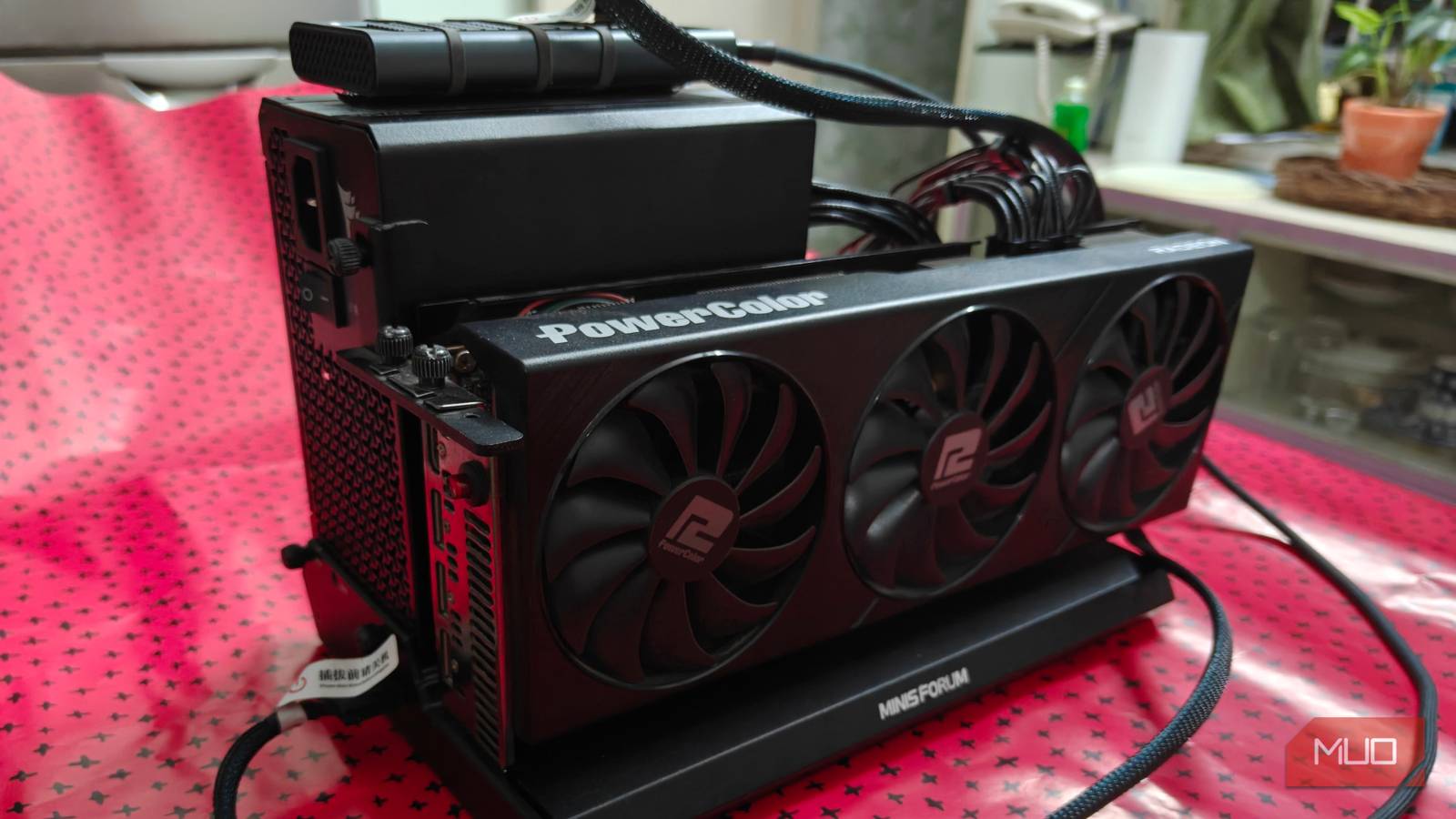
External GPUs (eGPUs) have always been a rather niche topic, and for good reason. While the idea is novel (who wouldn’t like to stick to potentially one portable, thin, and light device!), it came with a significant set of drawbacks that made it an expensive solution to what is essentially a handicapped setup.
This isn’t a new concept either, and we’ve seen many changes to the design and portable nature of the setup. We reached for the stars, but we never really got quite far enough with the whole idea. That being said, the whole process of docking a machine to an external graphics card to empower it with some extra gaming juice does sound pretty cool, and when it works, it really does feel like the future.
It’s a shame that we’ve barely seen any improvements to the tech (except for the Thunderbolt 5, but that has its own set of problems), and basic issues persist years later, holding back the entire experience.
Driver conflicts and Windows update woes
Pray you do not have the same vendor for both cards

This is more of a complaint with Windows, and it has to do with installing drivers. Like with any other graphics device, eGPUs require installing drivers first. As with any other standard GPU install on Windows, you’ll also immediately know that the drivers pulled from Windows Update aren’t necessarily the best picks out there.
These auto-installed drivers are usually outdated and have an appreciable performance gap as well. This is, assuming you have different vendors for each GPU attached to the system (such as an AMD iGPU with an Nvidia eGPU). If you don’t, then well, things get a lot trickier.
As such, we come to the topic of sideloading, which is a mess in itself. In a nutshell, you’ll want to remove drivers using DDU, reinstall the internal graphics card’s drivers, and then connect your eGPU to the system. What follows is a race against time as you extract and install the drivers using Device Manager, before Windows Update nukes them off, that is.
Which is a darn shame, given how most external GPUs (we’re talking about the docks here, not the ones where you bring in your own desktop GPU) are from AMD, which makes it a hassle to install it onto handhelds.
Linux is better, but barely
Dual GPU shenanigans, why not?

If you’re looking to run an eGPU that shares the same driver set as your CPU, consider switching to Linux. I can confirm that my DIY RX 6800 FrankenGPU does indeed work with my AMD-powered Flow Z13. No additional driver setup needed, and switching games to use the external GPU is as simple as passing a single launch parameter (DRI_PRIME=x).
That being said, it’s not all sunshine and rainbows. Like Windows, most apps tend to default to a particular GPU, which can be a bit annoying to fix. Scripts like all-ways-egpu and some manual USB4 configuration do help, but I won’t pretend that it is an accessible method for most. The devices don’t have driver conflicts, which makes them worth it, though.
Still an expensive, over-engineered solution
Just get a PC (or not)
We haven’t addressed the elephant in the room here — pricing. External GPUs have always been ridiculously priced, and 2026 has not done it any favors either. For the vast majority, it just makes sense to invest in a dedicated gaming PC or console for their gaming needs instead, along with a portable machine for work or on-the-go gaming.
For the same price, you get a far superior experience. An eGPU will almost always be bottlenecked, resulting in a significant portion of performance being lost over the USB4/Thunderbolt 4 bandwidth. Even if you can stomach the performance hit, there are also the weird quirks and rough edges the platform has, which make for a very frustrating experience at times.
Not to mention, most devices do have issues keeping up with the eGPU. Thermal limits are a very real thing, and some laptops simply can’t take it and shut down after a while. It just shows to highlight that eGPUs aren’t a magical all-in-one solution.
With that in mind, who are eGPUs for? Well, for the specific niche that meets the requirements of a docked, portable setup on the go, an eGPU makes a lot of sense. You’ll essentially use one device daily, and plug it into the external card for some extra juice while gaming. Or if, like me, you really like portable tech.
Thunderbolt 5 is the future, but that might still be far away

One of the more major issues plaguing eGPU adoption (well, other than its high price of entry) is the bandwidth limitation of most solutions. In particular, Thunderbolt 4 and USB4 are limited to 40Gbps, which equates to about PCIe 3.0×4, which leaves a fair bit of performance off the table.
You also have Oculink, which goes up to 64Gbps and is a lot more stable. Unfortunately, it does not support hot plugging at all, and the connector itself isn’t designed for that purpose. If you’re using a mostly stationary setup, it does make a lot more sense, though. What’s left then for those of us who need an on-the-go setup? The answer lies with Thunderbolt 5/USB 4v2. Both protocols are largely the same, and more importantly, support up to 80Gbps of bandwidth. This should, in theory, eliminate all and any bottlenecks.
While the real-world bandwidth results are a lot less impressive, Thunderbolt 5 is definitely a step in the right direction and supports hot plugging. However, the tech is still very nascent, and everything costs a ton more than it really should right now. Still, it’s a look into the future that should hopefully become a lot more attainable in the coming years.
