
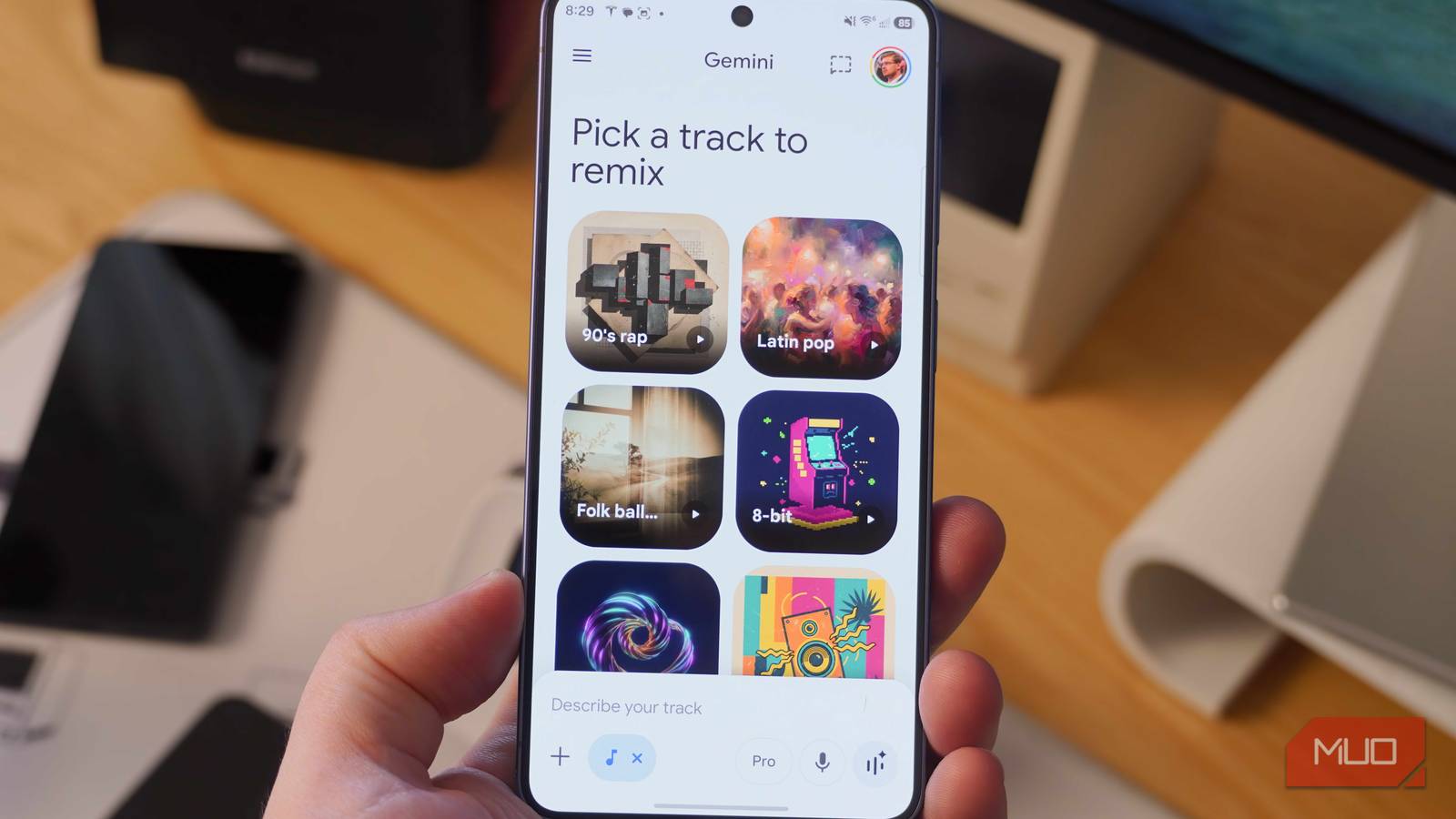
AI was supposed to automate monotonous tasks and tedious work to give us more time for the creative hobbies we love — or so we thought. Instead, AI is increasingly coming for creative industries with varying degrees of success. While it’s easy to consider that a bleak reality, for technology enthusiasts, it’s also cool to see a story, image, or video generated from scratch in seconds or minutes. You probably know that Gemini can generate text, images, and videos, but you might not have spotted its ability to create full-length songs using a new music-generation AI model.
Gemini is just a chatbot, and it’s powered by multiple AI models working behind the scenes. Quick tasks default to the Gemini 3 Flash model, while longer or more complex requests necessitate Gemini 3.1 Pro. If you generate an image, you’re either using Gemini 3.1 Flash Image (Nano Banana 2) or Gemini 3 Pro Image (Nano Banana Pro). Video requests run through the Veo 3.1 model. And now, those creating songs and musical tracks can leverage the Lyria 3 and Lyria 3 Pro song-generation models for AI-powered productions.
I tried making three-minute songs in the Gemini app using Lyria 3 Pro’s newfound musical prowess, and it was both better and worse than I expected. Here’s how it went, and how you can try it too.
Lyria 3 Pro in Gemini makes full-length songs
A simple prompt is all you need to create a 3-minute track
Lyria is Google’s family of music-generation models, which hasn’t caught on like Nano Banana or Veo have. It’s starting to become mainstream with the launch of Lyria 3 and Lyria 3 Pro in the Gemini app. Lyria 3 creates audio snippets up to 30 seconds in length, and Google says it’s ideal for “rapid prototyping, background loops, and social media assets.” It’s a quick and free model that anyone can use to make short tracks in the Gemini app almost instantly, but that 30-second maximum length is a severe limitation.
It isn’t the only limitation of the basic Lyria 3 model. It does support multimodal inputs, so you can upload an image for use as inspiration for a half-minute track generated with Lyria 3. However, its understanding of musical composition is modest at best. Lyria 3 can understand tempo requests and create songs with time-aligned lyrics, but prompts with specific composition instructions will likely fall flat. This makes it more of a developer tool or something that can make brief audio snippets rather than a full-fledged song generator.

The release of Lyria 3 Pro, an advanced song-generation model, last month changed everything. It’s only available to Google AI Pro and Google AI Ultra subscribers right now, but paid users can try it in the Gemini app, Vertex AI, the Gemini API, Google Vids, and ProducerAI. More importantly, Lyria 3 Pro offers support for generating songs up to six times as long as Lyria 3. It can create three-minute tracks, and better yet, Google says it “better understands musical composition” and now supports prompting “for specific elements like intros, verses, choruses and bridges.”
I tested song generation with Lyria 3 Pro, and Google is partially right. The model is indeed capable of understanding complex and specific guidance that requires knowledge of music composition and theory to successfully execute. It’s only good at creating sound, though, not writing lyrics from scratch. Songs pass the initial listen, but when you focus on the lines, the flaws become apparent.
Even if you’re not a musical expert, a chatbot can help

To start generating songs for yourself, open the Gemini app and tap the Create music option in the list of suggestion chips. Alternatively, you can press the Tools icon and tap Create music. Everyone can make songs using the Fast mode, which uses Lyria 3. To use Lyria 3 Pro to make longer tracks, you’ll need to tap the model picker by hitting Fast and switch to Pro. While the interface confusingly lists the Pro model as Gemini 3.1 Pro, it’ll actually use Lyria 3 Pro for generating songs.
Aside from the longer track length, the benefit to using Lyria 3 Pro is the model’s enhanced understanding of musical composition. But what if you’re not a music theory expert? In that case, I recommend using meta prompting to refine the perfect prompt before running it through Lyria 3 Pro in the Gemini app.

This is my secret to perfect answers from Gemini
If you’re writing your own prompts, you’re missing out on better outputs that need fewer tweaks.
Meta prompting simply involves using Gemini to generate a prompt before using that prompt to create songs with Lyria. By using a large language model like Gemini 3 Flash or Gemini 3.1 Pro to come up with your song-generation prompt, you can get one that’s longer or more detailed than you could create by yourself. Tell Gemini that you need a detailed prompt for a music-generation model, and describe the kinds of things you want to hear. Then, take the prompt it returns and run it through Lyria using the Create music tool in the Gemini app.
That’s what I did — I asked Gemini for a song-generation prompt for a jazz track with a saxophone solo and Frank Sinatra-inspired vocals. After using it to create a song with Lyria 3 Pro, this is what I ended up with:
Is Gemini actually good at creating music?
It’s surprisingly solid for instrumentals, but forget generating vocals
Aside from my day job as a tech reviewer, I’m a hobbyist drummer and a music fanatic. I’d like to think I know a thing or two about what makes a good song. In this case, I’m less concerned about whether the output from Lyria 3 Pro is subjectively “good” and more focused on whether it successfully met the requirements outlined in my prompt. For context, here’s the meta prompt I supplied Lyria 3 Pro with:
Genre: Traditional Jazz, Swing. Instruments: Acoustic drums, ride cymbal, strong acoustic piano, prominent alto saxophone. Structure: Main melody driven by sax and piano, featuring a delicate, light alto sax solo in the bridge. Vibe: Upbeat, swinging, dynamic, warm, live jazz band Vocals: Frank Sinatra-inspired singing that drops out for the solo.
I can attest to Lyria 3 Pro’s musical knowledge, because it did create a song matching the instructions. The output was certainly jazz, it had a swing drum beat, and I definitely noticed the alto saxophone solo in the middle. Even the vocals felt inspired by Frank Sinatra, with a cadence and delivery that resembled the legendary vocalist. Google says that “Lyria 3 and Gemini do not mimic artists; if a prompt names a creator, the model takes that as broad inspiration.” I’d say that somewhat applies here — the vocals might’ve been more than broadly inspired by Sinatra, but Lyria definitely didn’t try to copy the sound of his voice.
Now, the lyrics? They’re downright terrible. They’re the kind of lyrics that sound super clever to a large language model, but are nonsensical, vague, and meaningless to a human. They lack connection and fail to tell a story. Just read the lines below, and you’ll see what I mean:
- “The city pulses with a quiet grace”
- “A silver ribbon tied around the dark”
- “I found a home within this crowded space”
- “A sudden fire from a single spark”
- “The sidewalk hums a rhythm to the moon”
- “The city sleeps but we are still awake”
I tried generating a few songs with Lyria 3 Pro without lyrics, and they passed the ear test with flying colors. To me, it’s a good thing that AI still hasn’t mastered — or even come close to mastering — creating complete songs. It can make instrumentals for backing tracks used in school presentations or small projects, but it won’t make the next Spotify hit. For someone who loves human-made music like me, that’s not a problem. It’s cool that Lyria 3 Pro can make a three-minute instrumental track to go with your Google Vids presentation, and it doesn’t need to do more than that.

- OS
-
Android
- Developer
-
Google
- Price model
-
Subscription
Google Gemini is an AI assistant that can understand and generate text, images, code, and more. It’s designed to help people find information, solve problems, and create things more easily. Now, you can use Lyria 3 Pro to generate full-length music tracks.
