
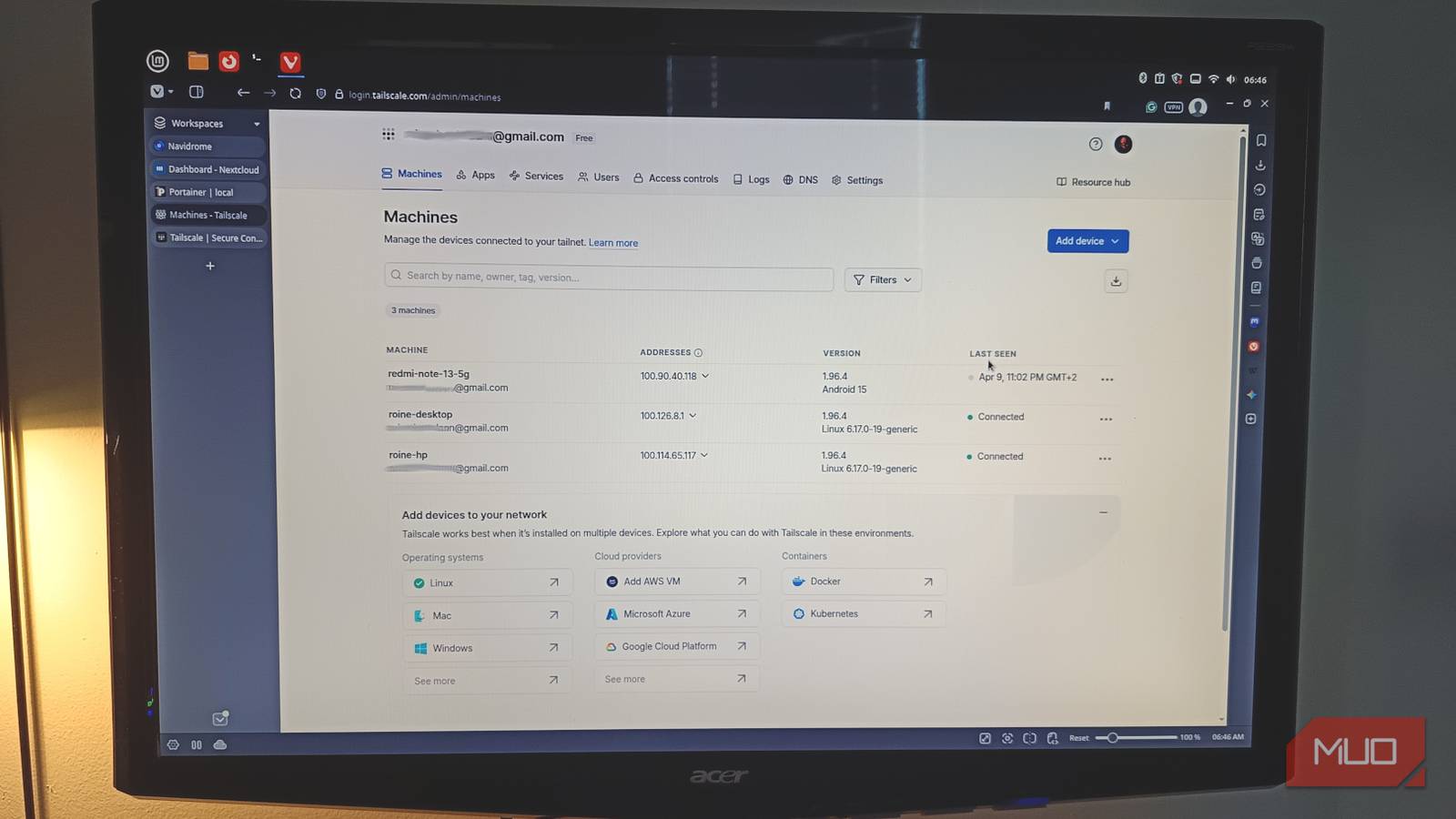
I was sitting in a restaurant, several kilometers away from home, casually opening my self-hosted dashboard as if it were on the same Wi-Fi. No lag, no weird workarounds, and no “please let this still be working.” That’s the moment it hit me. I hadn’t touched port forwarding in weeks. No open ports, no router gymnastics, and no anxiety about what I might have accidentally exposed to the entire internet.
At some point, without making a big deal out of it, I removed one of the most annoying, fragile parts of running a home server, and replaced it with Tailscale. It wasn’t some dramatic migration weekend with notes and backups and a mild existential crisis. It was just one install, one login, and suddenly I stopped thinking about remote access entirely. That silence? That’s the real win.
What Tailscale actually does
A private network that ignores physical distance
Let’s remove the marketing layer for a second. Tailscale is built on WireGuard, but what it feels like is this: your devices stop caring where they are. The home server is quietly doing its thing next to a tangle of cables you absolutely meant to tidy up last weekend. They all behave like they’re on the same local network.
Each device gets a stable internal IP and a built-in trust layer. Not “open to the world and protected by hope,” but actually private. If it’s part of your network, it gets access. If it’s not, it doesn’t even know anything exists. There’s something almost eerie about that. You go from “I need to expose this safely” to “nothing is exposed at all,” and suddenly the entire mental model shifts. It’s not just simpler. It’s quieter. And once you notice how quiet it is, you start realizing how loud and messy your old setup actually was.
Installing it felt almost too easy
No router fights, no weird configuration spiral

I don’t trust “easy” when it comes to networking. That word has a history. Usually, it means “easy until step three, then you’re in a forum thread from 2012 questioning your life choices.” This wasn’t that.
Install:
curl -fsSL https://tailscale.com/install.sh | shLog in:
sudo tailscale upThis will start a browser and ask you to log in and add your machine to your private network. When done, you should get:
Success.No config files glaring at you. No copy-pasting blocks of text from documentation that assumes you already know what you’re doing. No router interface that looks like it was designed during the early internet boom and then emotionally abandoned. I installed it on my Linux machine. Then the server. Then my phone, because at that point I was actively trying to break the illusion. Still nothing broke.
Within minutes, everything could talk to everything. I could ping my server from my phone, access services from my laptop, and bounce between them without thinking about networks at all. And that’s the key thing: I stopped thinking about networking.
- No, “Am I on the right network?”
- No, “Did my IP change?”
- No, “why is this port not responding?”
I opened a browser, typed the internal IP, and everything just loaded like it always should have. It felt wrong in the best possible way.
Why I stopped trusting port forwarding
It works, but it always felt like I was getting away with something

Port forwarding is one of those things that technically works but emotionally never quite settles. You open a port. You expose a service. You add some security on top and tell yourself it’s fine. And to be fair, a lot of the time it is fine. But it never feels clean. You’re still putting something on the public internet and hoping you configured it correctly. Hoping you didn’t miss a setting. Hoping that service you spun up at 1 AM is actually as secure as you think it is.
I’ve been there. Checking logs. Seeing random IPs knocking. Not breaking in, just probing, like someone walking past your house trying the door handle. That low-level tension never really goes away. Tailscale doesn’t try to make that safer. It removes the entire situation.
No open ports. No public endpoints. No surface to probe. If a device isn’t part of your network, it doesn’t get access. It doesn’t even get awareness. It’s not about building a stronger wall. It’s about not building the door in the first place.
Accessing my server now feels boring
Which completely changed how I use it
This is where things quietly changed in a bigger way than I expected. Remote access used to feel like a task. Something you prepared for. It was that thing that had a non-zero chance of failing right when you needed it most. Now it’s just part of using my system. I open my laptop somewhere else. I type the same address I use at home. Everything loads. Nextcloud. Navidrome. Portainer. That experimental container I definitely didn’t document properly, and will absolutely forget about in a month. It’s all just there. No special URLs. No remembering ports. No fallback plans.
And because it’s so frictionless, I stopped designing around limitations. Before, every service came with questions: Can I expose this? Should I? Do I trust this enough? Do I want to deal with this if it breaks? Now those questions are gone. I run what I want. If I need access, I have it. If I don’t, it stays internal and invisible. It made my setup feel less like a fragile system I’m constantly maintaining, and more like something I actually control. And maybe this is the biggest shift: I stopped hesitating. I try more things now because access is no longer a problem I have to solve every single time.
I’m not going back to the old way
I’ve tried a lot of tools that promise to “change everything.” Most of them are interesting. Some of them are even genuinely useful. Very few of them actually stick long term. This one did. Not because it’s flashy, and not because it introduces some wild new concept. But it removes friction that should never have been there in the first place.
And once you get used to that, going back to port forwarding feels absurd. Like choosing to reintroduce complexity just to prove you still can. There’s a certain kind of upgrade that makes you feel clever. And then there’s this kind. The one where everything just works so smoothly that you stop thinking about it entirely.
