
It took a long time, but at the end of 2025, my home was finally upgraded to a proper fiber connection. So long, copper.
Faster speeds are obviously wonderful. But it didn’t take long before I started wondering if I could squeeze better performance out of my new network connection by upgrading my router from Wi-Fi 6E to Wi-Fi 7.
Bigger number, better Wi-Fi, right?
It turns out that for my network, that potentially expensive upgrade wasn’t going to do what I thought, and Wi-Fi 7 wasn’t the upgrade I thought it was.
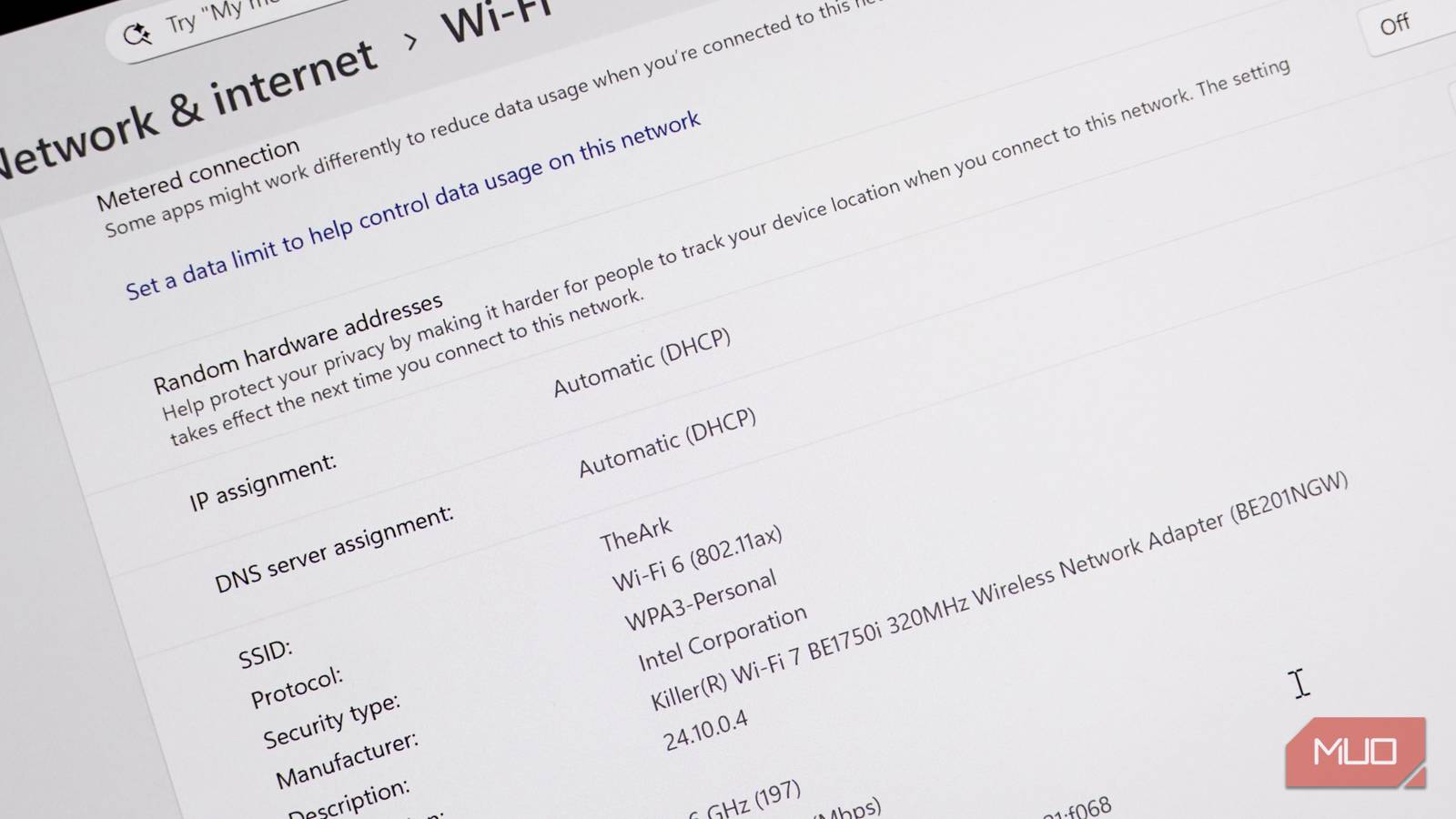
Windows actually has a problem displaying Wi-Fi 6E in its Settings. In the article featured image and the image below, Windows 11 incorrectly states that I’m using Wi-Fi 6. That’s because the official designation of Wi-Fi 6 and Wi-Fi 6E is 802.11ax. However, you can see the 6GHz connection and the 320MHz channel width.
What Wi-Fi 6E already gives me
Big upgrades over Wi-Fi 6
Wi-Fi 6E was one of the biggest Wi-Fi upgrades in years. Specifically because it opened up the 6GHz spectrum, giving a whole new Wi-Fi band for us to use. 6GHz gives an additional 1,200MHz of available spectrum for your devices, and even better, it’s the most unused Wi-Fi band because barely anyone has a Wi-Fi 6E device, let alone Wi-Fi 7.
Before Wi-Fi 6E, most routers were dual-band, offering the 2.4GHz and 5GHz spectra. You could buy (and still can buy) tri-band routers with an extra band, but that would be either 2.4GHz or 5GHz.
Now, because every router under the sun uses the same Wi-Fi bands, with the same Wi-Fi channels, the air can become congested with Wi-Fi broadcasts from every other router in the vicinity. Not only that, but both the 2.4GHz and 5GHz spectrums have other devices interfering with signals, too, such as baby monitors, microwaves, and more.
That’s why for most folks, the 6GHz band on a Wi-Fi 6E router is one of the best ways to claw back some network reliability with an almost empty broadcast band.
A note on speed, too. Wi-Fi 6 and Wi-Fi 6E both have theoretical maximum data transmissions of 9.6Gbps. Keep that figure in mind.

I changed one 2.4GHz Wi-Fi setting and my connection got much more stable
A simple change in my Wi-Fi setting fixed the issue, and the connection has been consistent ever since.
Wi-Fi 7 is overkill for most people, including me
What does it actually add?
Wi-Fi 6 – 802.11ax | Wi-Fi 6E – 802.11ax + 6GHz | Wi-Fi 7 – 802.11be | |
|---|---|---|---|
Bands | 2.4Ghz, 5GHz | 2.4Ghz, 5GHz, 6GHz | 2.4Ghz, 5GHz, 6GHz |
Max channel width | 160MHz | 160 MHz | 320 MHz |
Theoretical peak | 9.6 Gbps | 9.6 Gbps, real-world faster due to 6GHz channel | 46 Gbps |
Multi-link operation | No | No | Yes |
Congestion risk | High – Shared 2.4 + 5 GHz spectrum | Low – 6GHz is nearly empty in most homes | Very low |
Wi-Fi 7 raises the theoretical data throughput to 46Gbps, which is a huge increase. With a connection of that speed running at full bore, you could download 130 Netflix-quality HD movies at around 4-5GB each in a second.
Yes, a second. Or nearly 8,000 in a minute.
But the reality is that this wonderful, mindblowing speed upgrade is the headline spec you’ll never get near. Because, as with most of the flashy ultra-fast specs, these are lab results and will be extremely difficult to replicate in the wild. Like, your home with fridges and microwaves and, you know, walls.
There is another reason you won’t be sipping on unleashed Wi-Fi speeds: most of your devices still probably don’t support Wi-Fi 7. Unless you’re an ardent tech upgrader living at the forefront of tech, it’s highly likely that your devices are perfectly happy on Wi-Fi 6E.
Wi-Fi 7 devices really started emerging properly throughout 2025. The vast majority of hardware purchased before then won’t be able to harness Wi-Fi 7’s huge speed upgrade.
Don’t forget that your Wi-Fi speeds are directly limited by your incoming internet speeds, too. If you have a 500MB fiber connection, upgrading to Wi-Fi 7 won’t magically make your fiber faster. That’s on your ISP, not the router.
Wi-Fi 7 has some excellent features, mind
Wi-Fi 7 is great, don’t get me wrong. It doubles the maximum Wi-Fi channel size from 160MHz to 320MHz, introduces 4096-QAM (basically more data packed into each transmission), and Multi-Link Operation (allows devices to connect to multiple bands simultaneously).
On that, MLO is one of the best Wi-Fi 7 features, period. It’ll make your devices feel smoother while connected — but both your router and your device need to support Wi-Fi 7, or it won’t work. That ties into the “most devices can’t use it” problem. If you upgrade to a Wi-Fi 7 router, your devices won’t notice the difference.
Once your devices can, it’ll be dreamy, but it’s limited use currently.
Why I’m waiting for Wi-Fi 8 instead of upgrading my router today
The gap between Wi-Fi 6E, Wi-Fi 7, and Wi-Fi 8 is narrower than you might expect — if you don’t need to upgrade now, wait for the next generation.
Wi-Fi 7 comes at a premium, too
Shell out now, or wait for better support?
There is another reason you might consider holding off on Wi-Fi 7: the routers are on the expensive side.
Entry-level dual-band Wi-Fi 7 routers start at $130–180, but they cut the 6GHz band, so you’re not getting the full standard. A proper tri-band Wi-Fi 7 router lands at $250–400, with the TP-Link Archer BE9300 sitting around $250 and the ASUS RT-BE96U closer to $500.
For comparison, you can pick up the TP-Link Deco XE70 Pro Wi-Fi 6E router for around $100, which will deliver perfectly good Wi-Fi throughout your home at a fraction of the cost.

- Brand
-
TP-Link
- Range
-
2,900 sq. ft
- Wi-Fi Bands
-
2.4GHz, 5GHz, 6GHz
- MU-MIMO
-
Yes
- Mesh Network Compatible
-
Yes
- Ports
-
1 x 2.5Gbps WAN/LAN, 2 x 1Gbps LAN
TP-Link Deco XE70 Pro AXE4900 is a tri-band mesh Wi-Fi 6E system delivering fast, reliable whole-home coverage. Using the 6GHz band for reduced interference, it improves speeds and stability across multiple devices. Easy to set up and manage via app, it’s ideal for streaming, gaming, and busy connected homes.
Wi-Fi 7 is a good standard. If you’re building a new setup from scratch, on multi-gigabit internet, or running a dense smart home, it makes sense. But if you already have Wi-Fi 6E and a normal broadband connection, you’re not leaving meaningful performance on the table.
The upgrade that will actually change how your network feels — more reliable, fewer dead moments, smoother roaming — is Wi-Fi 8, and it’s arriving sooner than most people realize.
