
FileZilla was my default FTP client for years. It was fast, free, and got the job done without drama. Then came the bundled software. One installation too many, one unwanted toolbar, one “recommended partner offer” I didn’t catch in time — and I was done. I uninstalled it, started looking around, and never went back.
If you’ve had the same experience, you’re not alone. FileZilla’s reputation suffered a real hit after it started bundling third-party software with its installer, regularly ranging from annoying to problematic. The app itself stayed functional, but it’s hard to regain trust after such a move, especially when server access is at stake.
With FileZilla out of my workflow, I needed a new solution. Here’s what I found on the other side.
Why FileZilla bundled software is a deal-breaker
The trust problem with FileZilla’s installer

FileZilla, as an FTP client, still works. But the inconsistent bundling — present on some mirrors or versions and not others — makes it unnecessarily risky. You shouldn’t need to scrutinize links to download a utility safely.
Beyond the bundling, FileZilla’s interface has aged. It’s usable but cluttered, and dragging files between a local pane and a remote pane in 2026 feels like a throwback to the early 2000s. That’s not a dealbreaker on its own, but when you’re already skeptical, it pushes you to look elsewhere.
Cyberduck: the best free FileZilla alternative for Mac and Windows
Why Cyberduck works better than FileZilla for most users

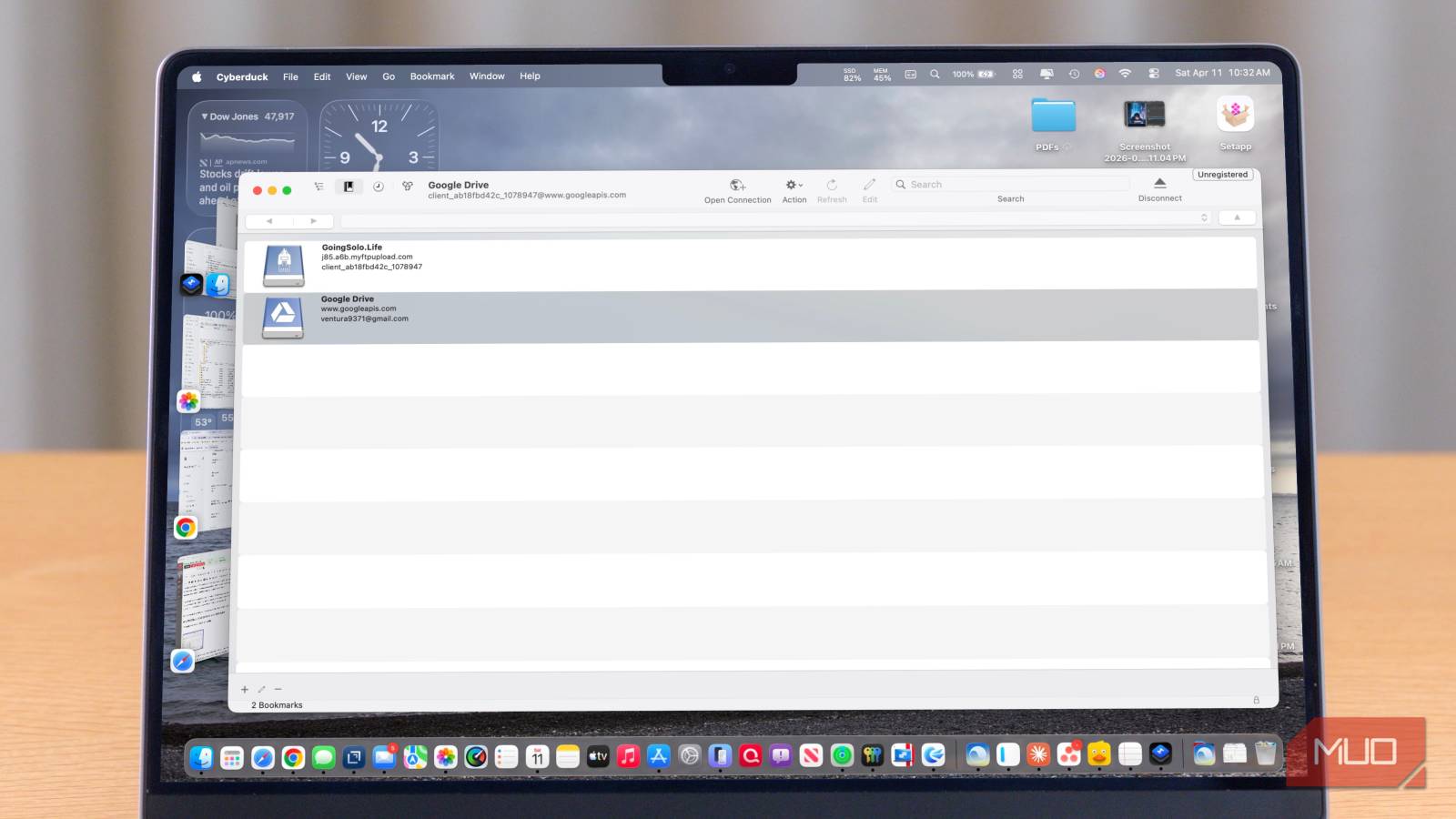
My main FileZilla replacement is Cyberduck, and it’s been that way for several years now. It’s open source, available for both Mac and Windows, and has never tried to install anything alongside itself. It’s our favorite free FTP client for Mac.
Cyberduck’s real strength lies in its multifunctionality. While FileZilla focuses primarily on FTP basics, Cyberduck serves as a Swiss Army knife for the modern web. It handles the basics of FTP, plus S3-compatible storage, Google Drive, Dropbox, OneDrive, Backblaze B2, WebDAV, and more. If your workflow has expanded beyond simple FTP transfers into cloud storage management, Cyberduck handles it all from one interface.
The interface is intentionally minimal. You connect to a server, a browser window opens, and you work with your files. There’s no dual-pane clutter by default. For users who prefer the classic two-panel layout, that’s a legitimate trade-off — but for most of what I do, the sleek approach is faster.
Moving away from the ‘dual-pane or bust’ mindset was the biggest hurdle, but once I switched, I realized how much visual noise I’d been tolerating. Using Cyberduck feels somewhat less like managing a server and more like interacting with a native folder on my Mac, which is exactly how file management should feel.
Cyberduck is free to use, though it asks for a donation and offers a licensed version for purchase through the Mac App Store. The functionality is identical either way.
Transmit 5: the best FTP client for Mac power users
Is Transmit 5 worth the $45 price tag?
If you’re on a Mac and do serious file transfer work, Transmit 5 from Panic is the answer. It costs $45 for a lifetime license (or $25/year if you prefer the Mac App Store subscription), and it is absolutely worth it.
Transmit is the app that makes file transfer feel like a first-class experience rather than a necessary chore. The dual-pane interface is fast and polished; the protocol support is comprehensive (FTP, SFTP, S3, Google Cloud Storage, Backblaze B2, Rackspace, and more), and the app integrates cleanly with the rest of macOS. You can mount remote servers as local volumes, sync folders with a single click, and set up reusable favorites that remember every connection detail.
I keep Transmit in my rotation for one reason: it doesn’t flinch. When you’re pushing thousands of assets to a staging server, you need an app that handles failures gracefully without stalling out.
The downside: it’s Mac-only. Windows users need to look elsewhere.
WinSCP: the best free FileZilla alternative for Windows
What WinSCP does better than FileZilla

Windows users who want a completely clean, free FileZilla alternative should consider WinSCP. It’s been around nearly as long as FileZilla, it’s genuinely open-source under a GPL license, and it has never played games with bundled software. It’s our favorite FTP client for Windows.
WinSCP supports FTP, SFTP, SCP, WebDAV, and S3. It offers both a dual-pane Explorer interface (familiar to FileZilla users) and a more minimal Commander interface. There’s also scripting support, making it a popular choice among developers and sysadmins who want to automate transfers as part of a larger workflow.
It’s not glamorous. The interface is utilitarian, showing its long history. But it’s trustworthy, well-maintained, and does everything you need an FTP client to do without surprises.
With the recent 6.6 update, WinSCP even handles local-to-local folder syncing, rendering it a viable backup tool as well.
When the command line beats any FTP client
If you’re a developer managing files as part of a wider workflow, two other options are worth knowing about.
Forklift 4 (Mac, $19.95) presents itself less as an FTP client and more as a full-featured file manager that also handles remote connections. The dual-pane interface is the best on Mac, period — faster and more capable than anything else in the category. It supports SFTP, FTP, WebDAV, S3, Backblaze B2, and several others, and it doubles as a local file manager good enough to replace Finder for power users.
For developers comfortable on the command line, rsync and scp via Terminal handle most real-world transfer needs without any GUI overhead. These aren’t replacements for a full FTP client in every scenario, but if your use case is primarily syncing files to a remote server, they’re fast, reliable, and already installed on your system.
Which FileZilla alternative should you use?
FileZilla earned its reputation as the default FTP client, and it still works for those who are careful with downloads. But once trust is compromised, it’s worth considering alternatives for key tools such as server access.
To pick the right alternative, choose Cyberduck if you want a single free tool for both FTP and cloud storage, such as Google Drive or S3. Select Transmit if you use a Mac and prefer the fastest, most reliable experience. Opt for WinSCP if you’re a Windows user and need automation or a classic dual-pane interface.
My top recommendation is Cyberduck, as it handles most FTP and cloud tasks for free on both Mac and Windows, with no added complications. For Mac power users seeking premium performance, Transmit delivers the best experience. For Windows users, WinSCP offers reliability and strong automation. Any of these choices is better than sticking with a tool you no longer trust.
