
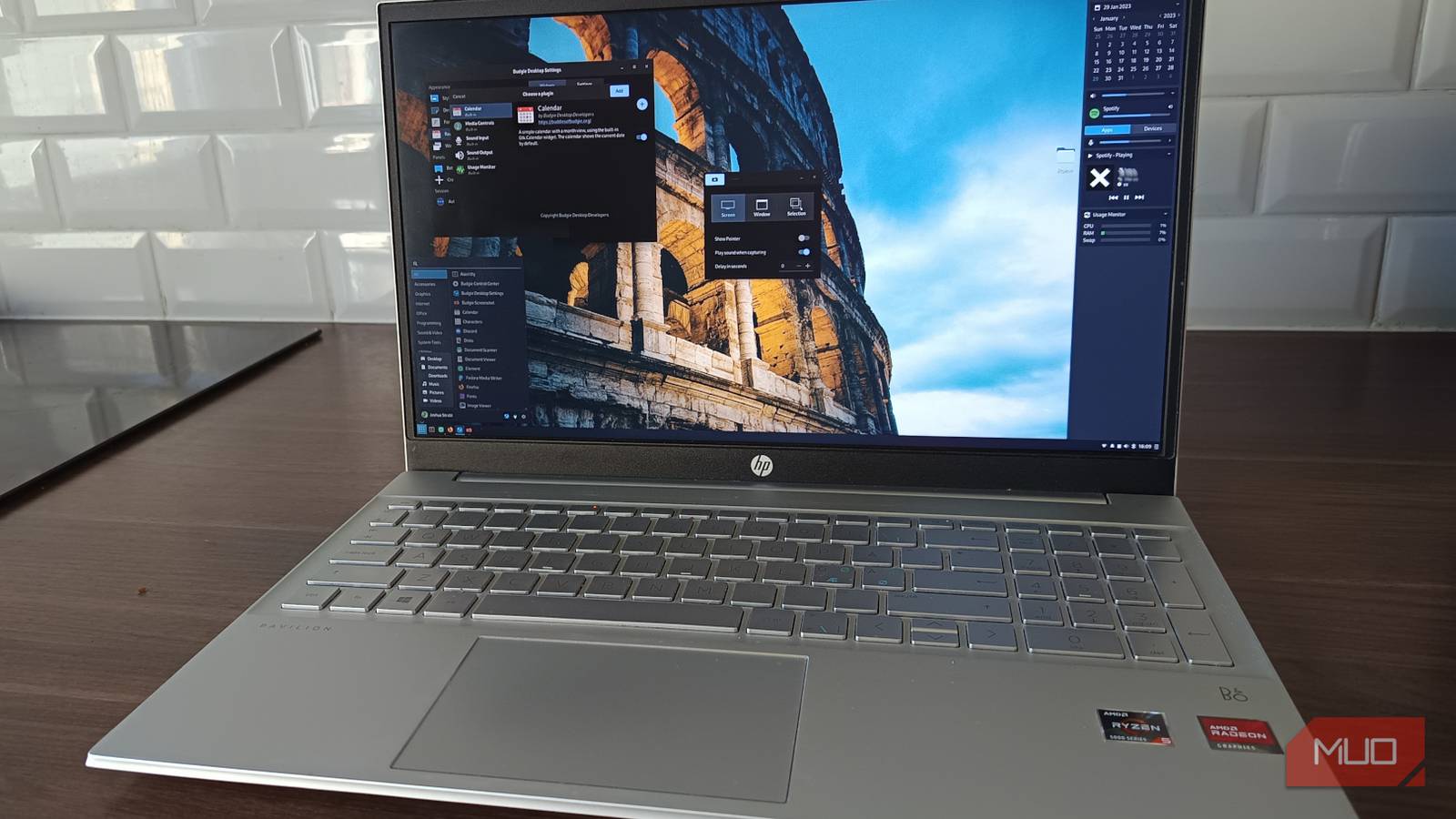
GNOME and I didn’t break up. It was more of a slow, mutual drifting apart. The kind where nothing is technically wrong, but everything feels just a little bit off. Like you’re replying “haha yeah” to messages you don’t care about anymore. Because that’s the thing. GNOME wasn’t broken. It booted fine, apps opened, and nothing exploded. And still, every day, there was this low-level friction. Tiny pauses. Weird decisions. Moments where I had to stop mid-flow and go, why am I doing this again?
That question showed up way too often. So I did what any completely reasonable Linux user does. I tore out my desktop environment and replaced it. Not with KDE. Not with XFCE. Not with some tiling setup that turns your keyboard into a flight simulator. I installed Budgie Desktop, fully expecting to hate it by Friday.
It looks familiar, but behaves like it respects you
Budgie doesn’t need to be clever to be good

Budgie doesn’t walk in trying to impress you. It doesn’t have a manifesto. It doesn’t try to “redefine your workflow.” You log in and your brain just relaxes. You see a panel at the bottom, a menu where it should be, and windows behaving like they’ve done since 1998. It’s almost suspicious how normal it feels. Coming from GNOME, that hit differently. Because GNOME always feels like it’s one step away from telling you you’re using your own computer wrong. It has opinions. Strong ones. And if you don’t agree, congrats, you now maintain a fragile ecosystem of extensions like some kind of digital zookeeper.
Budgie doesn’t do that. You click things and they respond. You drag windows, and they go where you put them. You don’t have to negotiate with your desktop like it’s a coworker with boundary issues. And here’s the part that explains the “lighter” feeling without hand-waving: Budgie is GTK-based, but skips GNOME Shell’s JavaScript-heavy layer. Translation: less stuff running in the background pretending to help. Which turns out to matter a lot more than I expected.
Raven and everyday friction fixes you didn’t realize you needed
Small annoyances disappear, and that changes everything
Raven sounds a bit dull until you actually use it. “It’s a side panel for notifications and widgets.” Cool. Riveting. But then real life happens. I switch between speakers and headphones constantly. On GNOME, that’s a small ritual. Top bar, click settings, scroll, switch, and close.
On Budgie? Open Raven. Click the device. Done. That’s it. And yeah, it’s a tiny thing. But it breaks your flow every single time you have to think about it. Same story with notifications, media controls, and quick system info. It’s all in one place, always accessible, no digging. Budgie doesn’t add features. It removes friction. And once you notice that, you start noticing how much friction you were tolerating before.
Performance and customization without the usual headaches
No invisible weight, no extension roulette

GNOME isn’t slow. Let’s kill that myth. But it feels heavy. That subtle lag when switching tasks. That background “blur” is constantly doing God knows what. Budgie feels lighter because it’s doing less of that. No JavaScript-driven shell juggling UI logic. No extra abstraction layer trying to be clever. Just a desktop doing its job. And then there’s customization. On GNOME, customization often means extensions. Which means dependencies. Which means eventual breakage.
On Budgie, almost everything lives inside the Budgie Desktop Settings app. Panel layout, taskbar behavior, desktop icons, and Raven widgets are all built-in and stable. No browser tabs, downloads, or “this extension hasn’t been updated yet.” It’s customization without the anxiety.
Which, if you’ve ever rebuilt your GNOME setup from scratch after an update, feels like therapy.
Budgie quietly grew up while nobody was watching
Independence, Wayland progress, and why it’s no longer niche

Budgie used to feel like a side project tied to the Solus Project, but not anymore. It’s now driven by the Buddies of Budgie organization, and it shows. It feels stable. Intentional. Like something that’s actually going somewhere. And yes, Wayland. It’s not GNOME-level polished yet, but it’s no longer a reason to dismiss Budgie. Development is moving forward, support is improving, and it’s clearly not being left behind. Which puts it in a very interesting position. It’s not chasing trends. It’s catching up where it matters, without breaking everything along the way. In Linux terms, that’s practically a superpower. Is Budgie right for you?
The verdict, minus the fluff
Switch to Budgie if:
- You like GTK apps, but GNOME makes you tired.
- You’re done babysitting extensions.
- You want your system to feel fast without playing detective.
- You miss when desktops felt predictable.
Stay on GNOME if:
- You genuinely love the activities overview and gestures.
- You’ve built the perfect extension setup, and it never breaks (again, I don’t believe you, but respect).
- You want the most polished Wayland experience right now.
I didn’t switch to Budgie expecting anything dramatic. I expected a short experiment. Instead, I stopped thinking about my desktop entirely. No friction. No weird detours. No “why is this like this?” moments. Just a system that gets out of the way. And once that happens, going back doesn’t feel like going home. It feels like going back to something that asks too much of you.
