
My poor (potentially perforated) eardrums. I’ve been putting my lugs under a tremendous amount of strain since picking up the Asus ROG Zephyrus G14 (2025). That’s because one of the world’s fastest gaming laptops not only runs incredibly hot, but equally loud, too.
When you’re dealing with a super-skinny laptop that houses Nvidia’s mobile RTX 5080 GPU, a whole lot of heat and all the decibels are to be expected — for reasons I’ll soon explain. It was only after I paired my lovely OLED laptop with a crucial audio accessory that I could start enjoying my Steam library without the constant din of fan noise ruining my virtual experiences.
Let me get into it.
Why are gaming laptops so noisy?
Portable power at a deafening cost
The above question is multi-faceted, but generally pretty easy to answer. The primary reason gaming laptops make your eardrums want to implode? Because they’re attempting to squeeze desktop performance into a much, much smaller form factor.
Just compare the dimensions of my RTX 5080 laptop with those of my custom-built RTX 5090 PC. Measured in inches, Asus’ sleek OLED laptop clocks in at 12.14” wide, 8.66” deep, and just 0.72” thick when closed. By contrast, my beefy Hyte Y70 Infinite Mid-Tower case is 12.6” wide, 18.5” deep, and 18.5” tall. And the Palit GeForce RTX 5090 GameRock GPU it houses is also suitably space-consuming, measuring in at 13.07” wide, 5.91” tall, and 2.77” thick. Yup, my graphics card alone is comfortably bigger and heavier than Asus’ Nvidia 50-series laptop.
Considering my ultra-thin gaming machine is working within the constraints of some seriously svelte dimensions, harnessing the power of a mobile RTX 5080 in semi-quiet fashion is a huge task. And frankly, it’s a task too far.

- Brand
-
Gigabyte
- GPU Speed
-
2.73 GHz
- Memory
-
16GB
The Gigabyte GeForce RTX 5080 is an Nvidia graphics card with 16GB of GDDR7 memory that supports DLSS 4 supersampling.
Squeezing that aforementioned portable GPU, plus an AMD Ryzen AI 9 HX 370 CPU and 32GB of DDR5 RAM into a device that’s not much thicker than a coaster proves incredibly demanding on the Zephyrus G14’s fans.
Drawing up to 120W under heavy load, it’s not uncommon for this mighty gaming laptop to get hugely toasty. I’m talking up to 95°C when CPU/GPU usage is high. I swear you could fry an egg in lickety-split time if you placed it in the center area just above the G14’s sensational 2.8K OLED screen.
So yeah, the hotter your gaming laptop runs, the faster its already teeny form factor fans have to operate. That leads to a level of din that will likely make your audio experience pretty miserable on a high-end portable PC.
An amazing, ultra-noisy gaming beast
The Asus ROG Zephyrus G14 is incredible, BUT…

I love my Zephyrus G14. I really do. Not only is this RTX 5080-powered, size-zero beast a portable gaming goliath, it also turned out to be a better workstation than I expected. But hot dang is it incredibly noisy.
The latest G14 can comfortably run Cyberpunk 2077 at 2.8K (2800 x 1800 pixels) with ray tracing features cranked to the max at 120 FPS — if you don’t mind using Nvidia’s polarizing but sometimes extremely useful frame generation tech. The flip side of that coin is a full-on Harvey “Two-Face” Dent level of punishment of your ears.

How to Silence a Noisy Laptop Fan: 5 Things You Can Do
Why is your laptop fan so loud? Here are several ways to make your noisy laptop fan quieter and finally get some peace and quiet!
With the G14 set to its “Turbo” mode, which is ultimately needed to play games with ray-tracing features at 60FPS and beyond, all those decibels take a toll on your ears. The 70-90°C temps this super-charged mode often reaches up to 45-55 dBA. In other words, “louder than King Kong swiping down biplanes from atop the Empire State Building.”
In performance mode with games that are either 2D, old, or don’t use ray-traced rendering, the G14 can drop below 30 dBA. But if you use this setting for high-end modern games like Resident Evil Requiem, you’re just begging to tank your frame rate.
That’s why pretty much all modern gaming laptops need to be paired with a good pair of noise-canceling headphones if you want to enjoy your favorite titles without courting mild hearing loss.
Headsets are essential for gaming laptops
Cancel all that fan noise with a quality set of cans

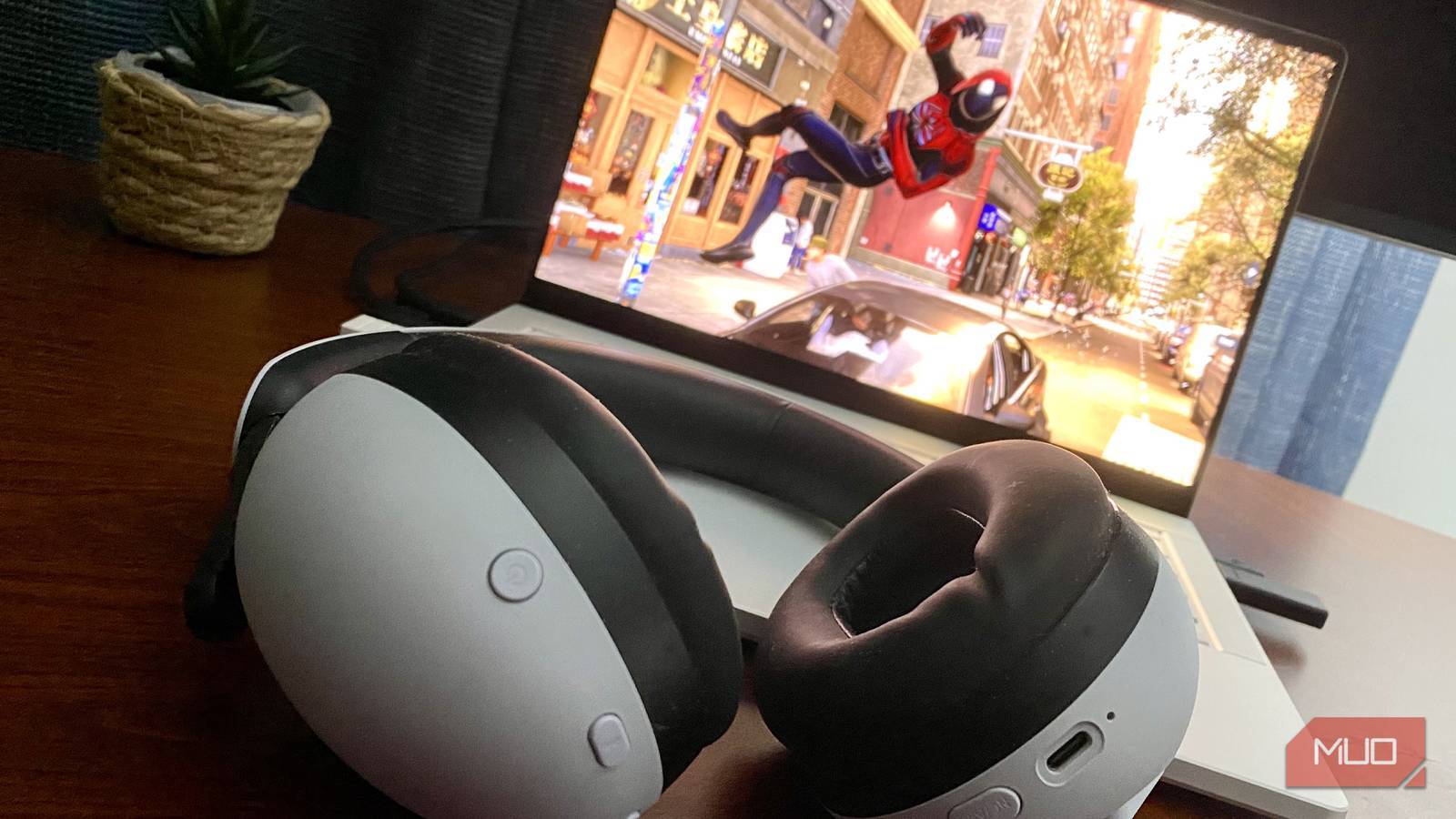
Enter the Sony Inzone H9 wireless gaming headset. I first picked up these ANC over-ears a year or so back, and doing so has finally allowed me to enjoy my most beloved Steam games free from obnoxious laptop fan noise.
Supporting both ANC and spatial audio, Sony’s headset is loud, punchy, and, thanks to lovely cushioned foam cups, extremely suitable for hours-long gaming sessions. The Inzone H9 is also backed up by the intuitive Inzone app, which makes creating and tweaking bespoke audio profiles through frequency sliders a relative breeze.

That pressure feeling from ANC headphones? Here’s what’s actually causing it
Is it even real?
Over the last few months, I’ve completed the previously mentioned Requiem, Alan Wake 2, and Marvel’s Spider-Man 2. These titles used some of the most impressive ray tracing techniques in the current video game climate, and this trio of heavily story-driven games would have been all but unplayable without my Inzone H9 headset. And if you’re looking for the best ANC headphones, this is the clear winner.
Cranking the volume up and enabling the H9’s ANC features has completely drowned out the decibels of my G14’s constantly flustered fans. And thanks to a $40 laptop accessory that fixed a problem I’d had for years, the Zephyrus’ toasty underside no longer threatens to burn a hole through my groin.
Own a high-end gaming laptop? Headphones are essential
If your laptop can handle ray tracing without spontaneously combusting, you really do need a good pair of ANC headphones to shut out the unbearable fan noise that such a demanding rendering technique will impose upon your portable PC.
It wasn’t until my Asus RTX 5080 laptop joined forces with a pair of noise-canceling cans that I started fully getting the benefit of a Windows 11 device I’ll still probably be paying off in a decade’s time. Are you the proud owner of a powerful gaming laptop? Do your ears a favor and pair it with a quality ANC headset.
