
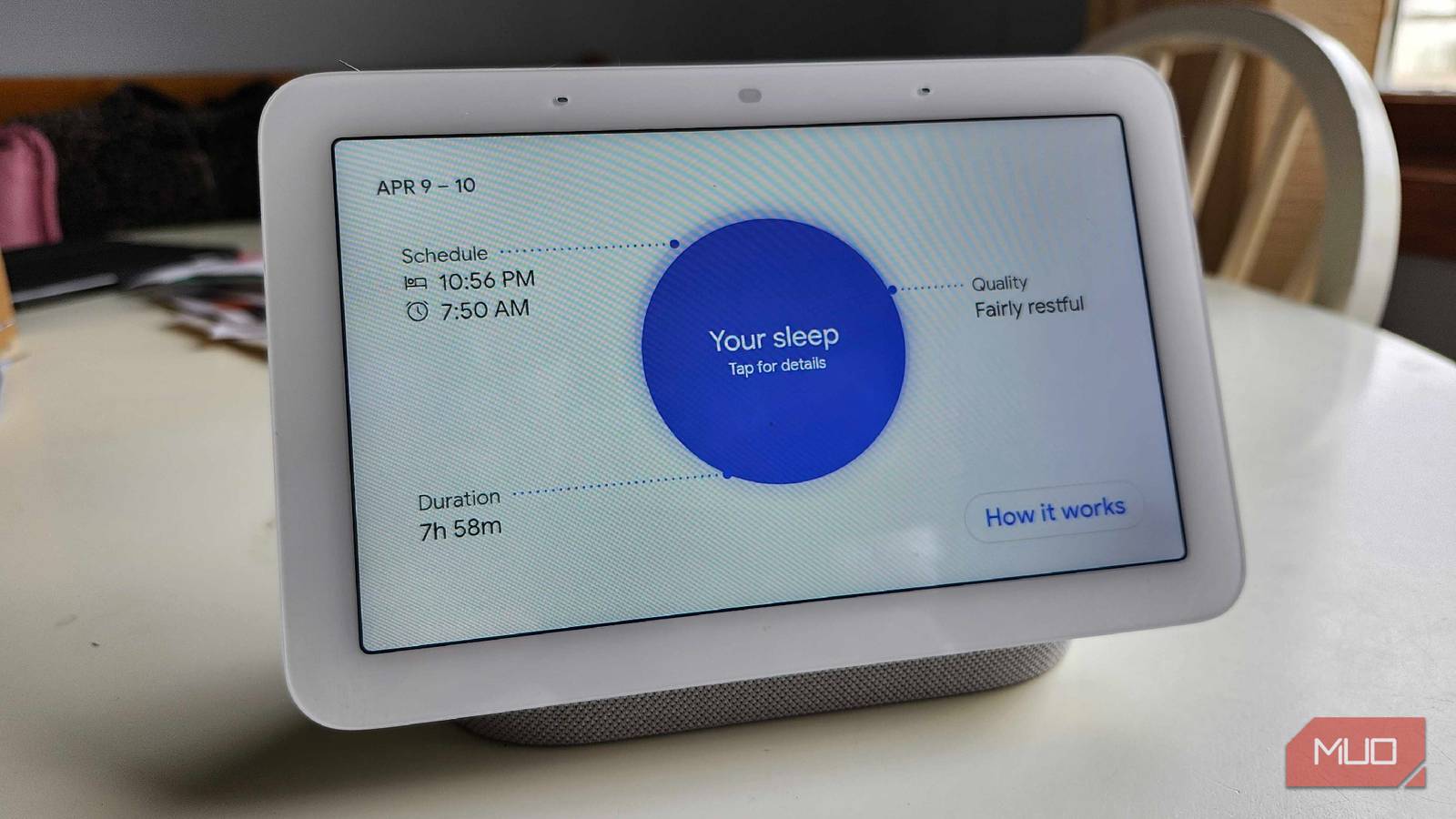
Late last week, I invited an unexpected guest to become a part of my nighttime routine. You see, after researching the Nest Hub 2nd Generation’s Presence Sensor, I discovered something that I was completely unaware of. Frictionless, wearable-less sleep tracking, all done with a fancy radar that “watches” me sleep.
Even though I’ve had this smart screen for over a year, it’s spent the majority of its time in the kitchen, helping me plug away at different recipes and as an overpriced timer. But after trying this out as a sleep aid for the past week, I was rather impressed to see how well it did its new job. Even if it isn’t perfect, the thought of not needing a wearable to track my sleep is rather intriguing and exciting.
How does it work?
There are no cameras here, so how does it “see” me sleeping?

If you’ve ever seen a Nest Hub in person, or you own one of your own, you may be wondering how these little smart screens are able to track sleep, and even your presence. As long as you have a 2nd-generation Nest Hub, you’ll be able to take advantage of this feature for yourself if you so desire. It’s all because of the Soli Radar that is nestled above the screen. It may look a little like a camera, but there is nothing that can truly “see” you, as a typical lens can.
The Soli Radar emits a low-power millimeter-wave signal. They bounce off of different objects and return to the sensor, so they don’t see a “picture” in the typical sense. Instead, you look like a cloud of laser points, which makes you and your features unidentifiable to anything outside the data sensor. If there were a camera, someone could hack in and watch you sleep, eat, or anything in between. This radar, on the other hand, just looks like data, and it can’t distinguish who you are or what you look like.
Microphones and radars over wearables
Tracking your breathing patterns, as well as the noises you make
One thing that we all know and realize at this point is that Google loves our data. So the idea of one of their products “watching” me while I slept did make me a little uncomfortable, until I did some research into it. According to the Google Nest Privacy Hub, coughing and snoring data doesn’t leave the Nest Hub; only audio events are sent to Google servers, which is fine with me. It also promises that no distinguishable images of your body or face are generated or used for Sleep Sensing.
Radar data is also not sent to the cloud and is processed directly on the device for respiratory/breathing activity that is displayed. I do love smartwatches, and what they’re capable of doing, but I’m not a fan of wearing something like that to bed. Especially with the amount I toss and turn overnight, I don’t want to risk scratching the display or overheating it by putting it under a pillow.
It’s an optional feature
If you just want a fancy alarm clock, you can keep this off

Before making its way into the kitchen, my Nest Hub was initially intended to be used as a smart alarm clock. An easy way to activate all of my different smart home technologies as soon as I wake up is by simply saying “Okay Google, Good Morning”, but I didn’t even realize that Sleep Tracking was a thing. That’s because it’s a completely optional piece of technology, and something you need to configure before you can even use it properly. I had to lie down in bed, press a button, and let the Soli Radar “scan” what I was doing for it to work properly, and I felt like it was a feature I’d slept on. Pun fully intended there. Outside of the Soli Radar, it also uses a thermometer and an ambient light sensor to judge the temperature of the room I was in, as well as the amount of light it could detect. This way, it could see if those factors contributed to a rough night of sleep or not.
Another thing I didn’t realize is that the physical slider on the back of the device actually fully disables microphones and sensors. I can also disable the Soli Radar in the settings if I still want to use the voice controls at any point during the night. I’m all for customization and tweaks, and for something that many people may not realize their 2nd Gen Hub has, the Soli Radar can be quite handy. If you do turn this off, however, Sleep Sensing will go away, as well as Quick Gestures and Proximity UI.

- Brand
-
Nest
- Display
-
7″ Touchscreen
- SMART ASSISTANTS
-
Gemini
It’s good, but not perfect by any means
A lot of variables can throw this off, due to not wearing a band

While this was a neat little experiment and something that could prove incredibly useful to many people, it’s not a perfect way to track your sleep. Seeing as the Soli Radar can’t exactly pierce through thicker comforters or blankets, and needs to be angled just right to analyze your breathing patterns, some results may be slightly skewed. Plus, if you have pets that like to jump on your nightstand, or a partner in bed that may happen to be close to the Hub, it could misinterpret the data slightly.
If you’re a sleep flipper, like I am, you could also bump your table and cause your Nest Hub to go slightly out of the recommended zone of monitoring. There are a lot of variables that could go wrong, but if you’re curious to get a rough estimation of how well you’re sleeping, this is one of the most interesting and intriguing ways that you can get that data. There’s also a good chance that this feature will also be locked behind a paywall in the future, so I would suggest trying it now before that happens. While it seems like it tracked me well enough, I’m not sure if I’d be willing to pay for a feature like this in the future.
This experiment was actually useful
After getting over the “creep” factor, the data was impactful and interesting
Sleep is one of the most important parts of the day, but you don’t need someone online to tell you that. A bad night of sleep can lead to an incredibly bad day ahead, so finding out what may be causing you to wake up in the middle of the night in a cold sweat is important. If you’ve got a Nest Hub 2nd Generation in your home, this could prove to be an interesting and exciting little project you can test out for yourself.
After getting over the initial “creep” factor of it all, I was genuinely surprised to see how well it worked. I may need to keep this in the room for another week to see what I can do to tweak my sleep schedule to be the best it can be.
