
SMB (Server Message Block), implemented via Samba on Linux, is one of those protocols you inherit. The moment you have more than one device and the faint idea that files might need to move between them, it just appears as the obvious answer. You set up a shared folder, confirm it works, and then quietly stop thinking about it. That’s exactly what I did, and for a long time, it worked without giving me any reason to look twice.
Until I did. There wasn’t a dramatic failure behind it. No data loss, no security scare, no moment where everything suddenly fell apart. It was more subtle than that. I started paying attention to what SMB actually does in practice, how it exposes shares, how it listens on the network, and how much it assumes about the environment it’s running in. And once that clicked, it stopped feeling invisible and started feeling a bit too trusting for its own good. That was enough to make me rethink it.
SMB didn’t break, I just stopped trusting the assumptions
It leans heavily on your network behaving perfectly
SMB earns its popularity. It’s everywhere, it’s easy to set up, and it integrates so smoothly into both Linux and Windows that you rarely have to think about it. On Linux Mint, it’s almost frictionless, and on Windows, it’s basically as common as IKEA furniture in a Swedish home. The issue isn’t that SMB is inherently insecure; it’s that it operates on a model that assumes your local network is a safe and predictable place. That assumption becomes harder to defend once your network grows beyond a couple of machines.
My setup certainly isn’t minimal anymore. There’s my main Linux Mint system, a couple of Raspberry Pi running background services, a handful of Docker containers, and devices that connect and disconnect depending on what I’m doing. In that kind of environment, SMB doesn’t adapt. It simply continues to expose shares and trust that everything on the network should be allowed to see them, as long as the configuration says so. That started to feel less like convenience and more like unnecessary exposure.
I replaced it with Syncthing
The whole approach changed
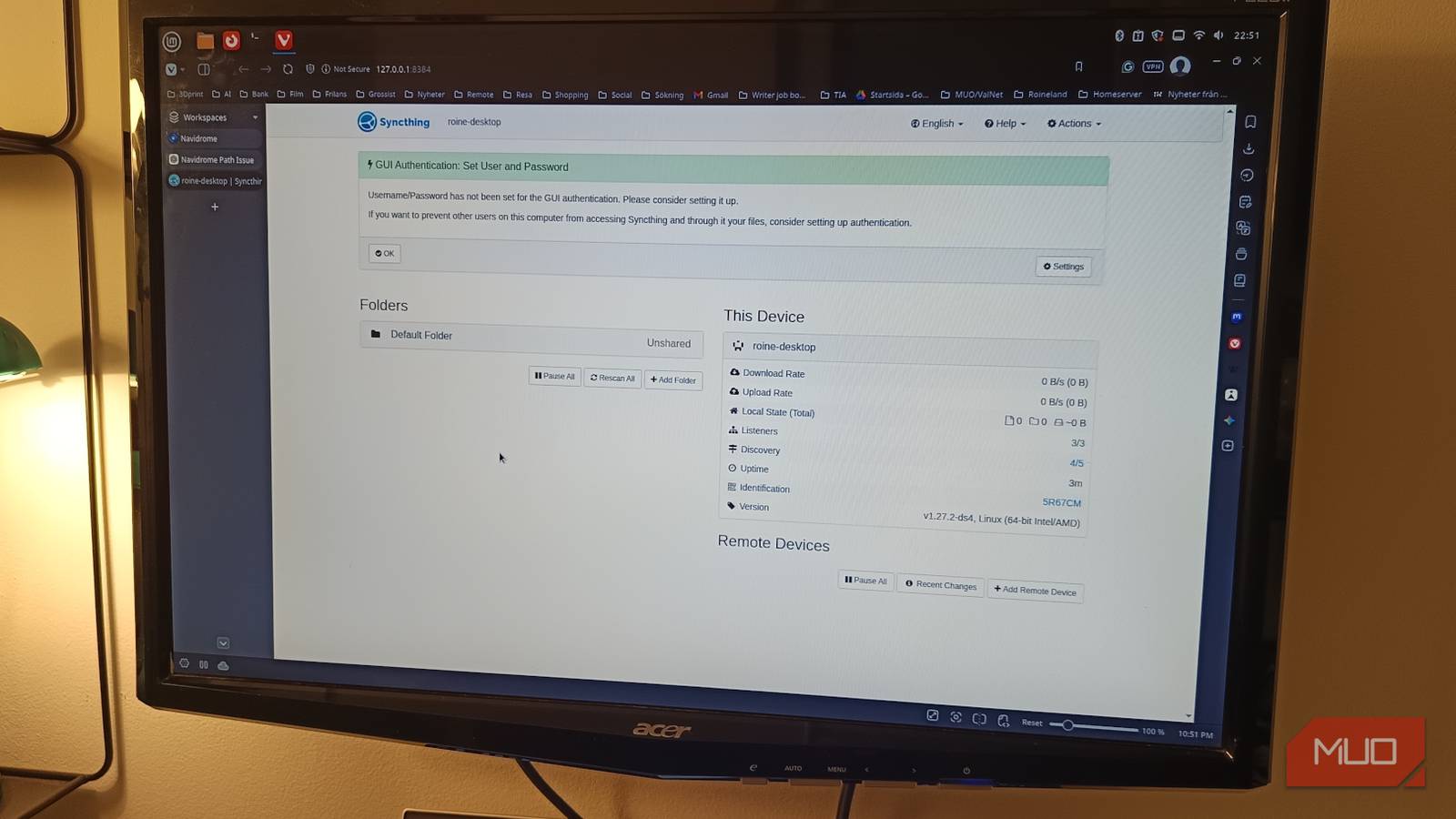
Switching to Syncthing didn’t feel like swapping protocols. It felt like stepping away from the idea of shared folders altogether. There are no network paths to remember and no shares to mount. Once the devices are paired and the folders are selected, the files simply exist where they need to exist. Changes made on one device propagate to the others without any manual step in between.
What surprised me most was how quickly that became the new normal. I wasn’t opening network locations or checking whether a share was available. I wasn’t dealing with permission prompts or reconnecting to something that had quietly dropped off. The files were already there, which removed an entire layer of small but constant friction. It’s a subtle shift, but it changes how you interact with your own system.
The security model feels fundamentally different
Everything is encrypted by default

This is where the switch really paid off. With SMB, security is something you configure and maintain. You define permissions, manage access, and rely on your setup being correct at all times. It works, but it requires ongoing awareness. Syncthing approaches it from the opposite direction. Devices only connect after you explicitly approve them, and all communication is encrypted automatically. There is no underlying assumption that anything on your network should have access unless you say so.

- OS
-
Android, Windows, macOS, Linux
- Price model
-
Free (open-source)
Syncthing is an open-source continuous file synchronization tool. It lets you to sync and share files across multiple devices.
That changes the baseline entirely. Instead of asking, “Is this locked down enough?” the question becomes, “What do I actually want to allow?” It removes a surprising amount of background doubt, especially in a setup that includes multiple services and systems that are not always in the foreground of your attention.
It also reshaped how I think about file access
Syncing removes the need to go looking for things

SMB encourages a browsing workflow. You navigate to a share, locate the file, and move it where it needs to go. It’s straightforward, but it turns file access into a repeated task. With Syncthing, that step disappears. The files you need are already present on the device you’re using, because the system keeps them in sync automatically. It sounds like a small improvement, but it adds up quickly. Instead of treating your network as something you have to interact with, it becomes something that quietly supports what you’re doing in the background.
After a while, going back to SMB feels less intuitive than it once did, not because it stopped working, but because it suddenly feels like an extra step you no longer need.
SMB still has a place, just not a central one
I haven’t removed SMB entirely, and I don’t think most people need to. It still works well for quick access or in situations where compatibility matters more than anything else. What changed is its role. It’s no longer the foundation of how I move files between devices. That responsibility now belongs to Syncthing, which handles the day-to-day flow without requiring constant interaction or trust in the broader network.

I replaced Google Drive with a self‑hosted cloud and the freedom is worth it
A self-hosted cloud is very liberating and surprisingly not as hard to set up.
Replacing SMB wasn’t about fixing something that was broken. It was about noticing how much it relied on assumptions I hadn’t questioned before. Once I saw that clearly, switching to something more deliberate and contained felt like the obvious next step.
