
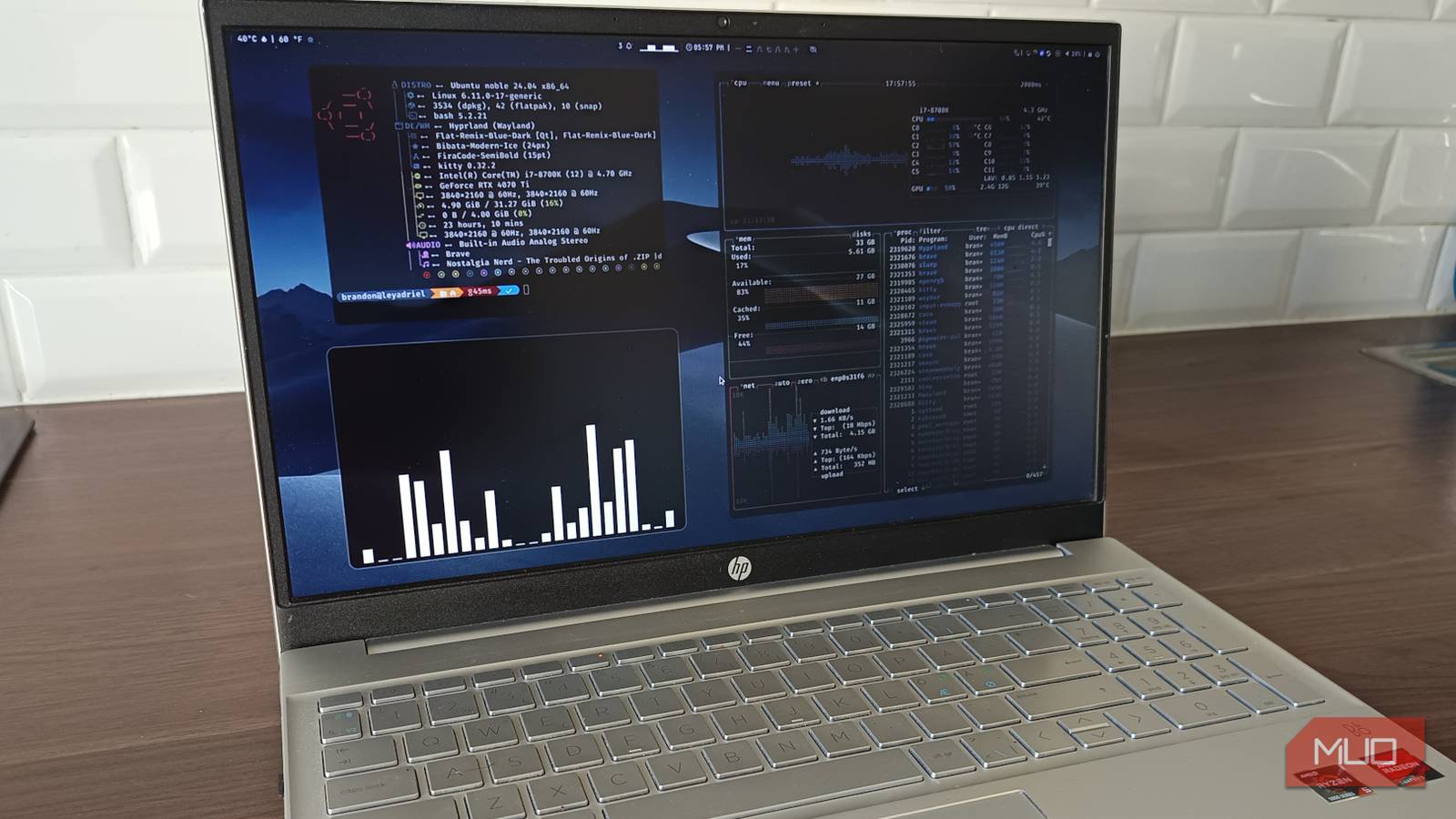
I didn’t install Hyprland because I needed a better desktop. I installed it because I got curious. And curiosity, in Linux, is usually just a socially acceptable way of saying, “I’m about to break something that was working perfectly fine five minutes ago.” The machine in question? My lab box is running Ubuntu 25.10. Not exactly the safest place to experiment with a Wayland-first, highly opinionated window manager. Which is precisely why it felt like the right place to do it. Hyprland has this reputation. Not just as a tool, but as a thing people get weirdly attached to.
The kind of setup they post videos of with captions like “finally dialed in” as if they’ve tuned a race car instead of a desktop. I wanted to see what the fuss was about. I expected it to last an afternoon. I lasted long enough to start side-eyeing my other machines.
It doesn’t behave like a desktop environment
Hyprland throws out everything you’re used to
The first time you boot into Hyprland, it feels like something is missing. Because everything is missing. No dock, no panel, and definitely no “click here to begin your journey.” Just a blank screen and a quiet sense that the system is now waiting for you to make the first move.
Ubuntu’s usual GNOME setup at least pretends to hold your hand. Hyprland doesn’t even acknowledge you have hands. You open apps with keybindings. You move windows with keybindings. You close things with keybindings. The mouse is technically still there, but using it feels like you’re doing something slightly embarrassing in public.
Yes, at first, it’s frustrating. You forget shortcuts, and you get stuck. You open a terminal just to open another app because that’s the only thing you still remember how to do. But then something shifts. Not dramatically, but enough that you stop reaching for the mouse without thinking. Enough that you start anticipating where windows will land before they even appear. That’s when it starts getting interesting.
The movement is what hooks you
It feels right in a way that’s hard to explain
Maybe you’ve seen the clips. Windows sliding around like they’re part of some hyper-optimized sci-fi interface. Workspaces gliding past each other like you’re flipping through realities instead of desktops. Yes, it looks good. Really good. But that’s not why it sticks. The real hook is that nothing feels random anymore.
Open a terminal, and it lands exactly where it should. Open a browser, and the layout adjusts without asking you to babysit it. Add another window and everything reshuffles like it’s been planning this move in advance. There’s no dragging. No resizing, and no “just give me a second while I fix this layout.” It just … happens. And after a while, you stop noticing the animations and start noticing how much less you’re fighting your desktop.
You don’t install Hyprland, you assemble it
Yes, it will annoy you before it impresses you
Here’s the part people either romanticize or rage-quit. Hyprland doesn’t come as a finished product. It comes with potential. Which is a polite way of saying, “Good luck, you’re building your own desktop now.” On my Ubuntu 25.10 setup, getting to something usable wasn’t complicated, but it also wasn’t plug-and-play:
- Waybar, because I enjoy knowing what time it is
- Wofi, because typing app names beats guessing them
- Mako, because notifications shouldn’t feel like whispers into the void
- Kitty, because if I’m going to live in a terminal-adjacent world, it might as well look good
Then there’s the config file. This is where things get personal. Not in a “choose your wallpaper” way, but in a “this is now a reflection of how your brain works” way. Keybindings, window gaps, animations, workspace behavior. It’s all text. No toggles or guardrails. If you mess it up, congratulations, you now get to fix it the same way you broke it.
At first, it’s annoying. You just want things to work. Then you realize you can make things work your way. And then, at some point, you catch yourself tweaking window spacing like it’s a life decision that matters. That’s when you know you’re in.
How I actually installed it on Ubuntu 25.10
Not a perfect setup, but it got me to “okay, this works”
This is not the “official best way.” This is the “I wanted this running today without reading a thesis” way.
I started simple:
sudo apt update
sudo apt install hyprland waybar wofi mako-notifier kitty
That gives you enough not to feel completely stranded.
Then I set up the config:
mkdir -p ~/.config/hypr
nano ~/.config/hypr/hyprland.conf
I didn’t write it from scratch. I grabbed a default config, poked at it, broke it a little, and fixed it again. Keybindings first, because without those, you’re basically trapped in a very pretty void.
Launching it was as straightforward as dropping into a TTY and typing:
HyprlandAnd yes, the first launch is rough, no polish, and no guidance. Possibly no clear way to even open an app unless you already wired that in.
But once Waybar is up, Wofi is bound to a key, and you can actually move around without guessing. It flips surprisingly fast from “What have I done” to “Okay … this is kind of nice.” From there, it’s iteration. Small tweaks, reload, and repeat. Slowly turning chaos into something that actually fits you.
It rewires how you think about multitasking
You stop managing windows and start moving between mental spaces

This is where it stopped being a toy. On a normal desktop, multitasking is busywork. You resize, drag, stack, minimize, lose track of things, find them again, repeat until your brain quietly files a complaint. Hyprland just removes that entire layer. Windows go where they need to go. Workspaces become actual zones instead of cluttered desktops you pretend are organized. I ended up with one workspace for writing, one for browsing, and one for testing things that may or may not break the system. And instead of juggling windows, I just moved between them. It’s such a small shift on paper, but in practice, it feels like someone quietly removed a layer of noise you didn’t realize you were dealing with all day.

Linux Mint finally fixed its Wayland problem and it’s a game changer
Mint’s been holding back for good reason, but here we are!
It’s not for everyone and that’s exactly why it works
Let’s not pretend this is universal. Hyprland demands things from you: time, attention, and a willingness to break and fix your own setup without blaming anyone but yourself. If you want something that just works out of the box, Ubuntu’s default desktop is right there. It’s good and reliable. It won’t ask you to rethink how you interact with your computer. Hyprland will.
And that’s the whole point. Because once it clicks, once your shortcuts are muscle memory and your layout feels like it actually matches how you think, going back feels … off. Like you’re suddenly working through a layer of friction that wasn’t there before. That’s why people won’t stop talking about it. Not because it’s easy. Not because it’s polished. But because it changes the relationship, you have with your system in a way that’s hard to explain until you’ve felt it. And yeah. I get it now.
