
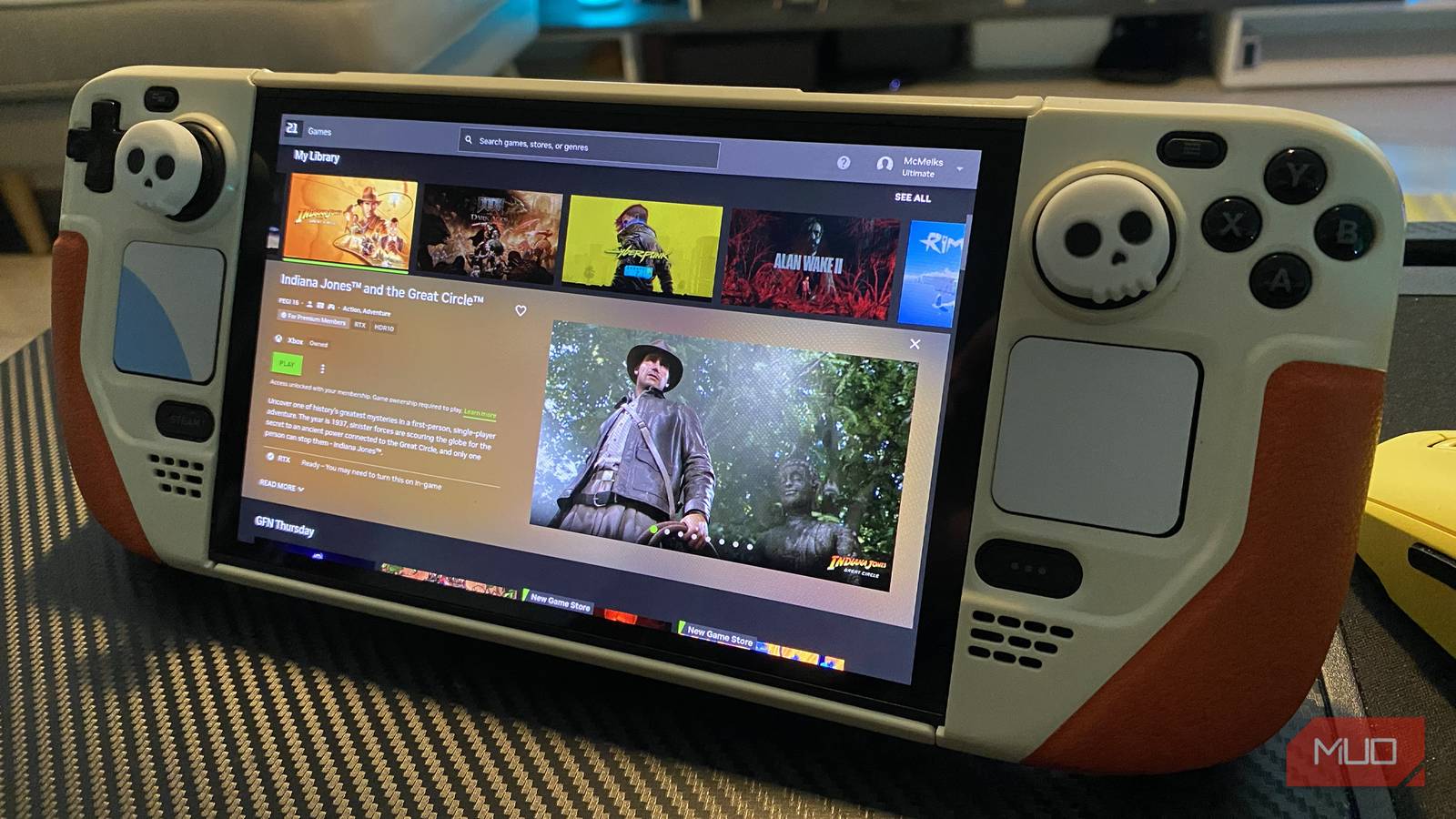
This will sound like lunacy, but path tracing at high frames on a handheld PC is achievable. Honest! Alright, there’s an almighty caveat to that claim, yet if you have a fast fiber optic connection, taming the most graphically demanding games on a Steam Deck is entirely possible.
Up until recently, I hadn’t touched my Steam Deck OLED in months. That wasn’t because I don’t love Valve’s handheld (I absolutely adore it). Instead, it was due to the fact the face buttons on my Deck suddenly stopped working one day. And no matter how many times I performed a hard reset on the palm-friendly, Linux-based PC, said inputs steadfastly refused to work.
Happily, a recent SteamOS update has gotten my buttons playing nice again, and that’s made me refamiliarize with what I’d consider to be the essential app for Steam Deck owners. This cloud-based software is so compelling on strong Wi-Fi connections, I’ve barely touched my Nintendo Switch 2 since getting reacquainted with the OLED model of Valve’s fabulous handheld.
Meet your new favorite Steam Deck app
The cream of the crop of cloud gaming
Nvidia GeForce Now Ultimate is just that: the ultimate form of cloud gaming. Forget Xbox Cloud Gaming or Amazon Luna, when it comes to the highest tier of Team Green’s service, nothing compares. Provided you have a reliably speedy 45 Mbps internet connection, 4K/120 FPS gaming is entirely feasible on your laptop, desktop, smart TV, and yes, even the Steam Deck.
For $20 a month/$100 for six months, you can get access to a remote RTX 5080 (for select modern titles), and an RTX 4080 for all others that don’t currently support 50-series features. In turn, this grants you DLSS 4.0 support, full ray tracing features, and input lag-reducing Nvidia Reflex 2 tech.
Obviously, such high resolutions are irrelevant when dealing with the Steam Deck OLED’s circa 720p/90Hz screen, but streamed over the right display, GeForce Now Ultimate can generate results up to 5K/120 FPS (with a 65 Mbps connection) or 1440p/360 FPS gameplay (on a minimum 55 Mbps connection).
All of that is to say, GeForce Now scales impressively well on whatever level of display technology you’re dealing with. Even though I have access to a 240Hz super ultrawide gaming monitor that changed the way I work, using Nvidia’s Ultimate cloud tier on my Steam Deck is the method that’s most drawn me to the technology. I’ll explain why shortly, but in the meantime, let me guide you through the process of installing Team Green’s cloud gaming app on Valve’s tiny PC.
How to install GeForce Now on Steam Deck
Guiding you through a slightly fiddly process

The easiest way to install the GeForce Now app on your Steam Deck is by connecting your handheld to a compatible dock, so that you can subsequently pair your Deck with a keyboard and mouse. While you can install Now using the little machine’s trackpads and face buttons, it’s a somewhat awkward process.
Regardless of what particular deck setup you’re working with, here’s how you can install Nvidia GeForce Now on the breakout handheld device.
- While in your Steam Deck’s Gaming Mode, hit Power, then select Switch to Desktop.
- Open a browser like FireFox or Chrome in Desktop Mode, then download the installer app from Nvidia’s GeForce Now site.
- Open the Dolphin file manager, then right-click on your Steam Deck’s right touchpad to execute the GeForceNOWSetup.bin file.
- Let the setup process complete, whereby the GeForce Now app will be added to Steam.
- Go back to Steam Deck Gaming Mode, then launch Nvidia’s cloud app through the Non-Steam tab in your Library section.
- Launch GeForce Now and prepare yourself for seriously impressive cloud gaming.
Hey presto! You should now be able to access GeForce Now on your Steam Deck. Provided the installation went without a hitch, you can stream a huge number of games from a variety of digital storefronts (provided you own said titles/have an active subscription to a specific platform). GeForce Now lets you sync your Steam, Xbox Game Pass, EA, Ubisoft Connect, GOG and Battle.net libraries; giving you access to a colossal number of cloud-supported games, should you own them.
The cloud nine of portable gaming
Path traced perfection in the palm of your hand
In motion, watching GeForce Now Ultimate do its thing on the Steam Deck OLED’s gorgeous screen is quite the sight to behold. I’ll go one further than that: it’s occasionally astonishing. Sure, owing to the low-resolution nature of Valve’s 7.4-inch, 1280 x 800 panel, on-screen action can sometimes look a little soft.
That’s an oh-so small price to pay though, when you can boot all manner of high-end PC games up on your Deck OLED, and courtesy of GeForce Now Ultimate, play them at 90 FPS at ultra settings and with ray tracing cranked to the max.

I made the switch to Steam OS on my ROG Ally X and haven’t looked back
Being reunited with SteamOS has never felt better, especially on the ROG Ally X
The level of fidelity is seriously impressive. Playing Cyberpunk 2077 with every graphical setting pushed all the way up makes me want to rub my eyes every few minutes. It feels like a bewitching style of tech sorcery. And when I say “every setting,” I mean with the incredible, but often FPS-slaying path tracing enabled too.
Path tracing at 90 FPS on the Steam Deck OLED’s pin-sharp display really is something else. Ogling the shadows in a seedy district of Night City, being bowled over by sun-dappled museum displays in Indiana Jones and the Great Circle, admiring Leon’s ultra-hunky reflection in Resident Evil Requiem — witnessing such cloud-bolstered rendering feats on a $550 handheld is astonishing.
Path tracing at 90 FPS on the Steam Deck OLED’s pin-sharp display really is something else.
Even with every graphical preset cranked to PS5 Pro-shaming levels, those top-tier Ultimate servers ensure latency often clocks in at less than 30ms, and that’s with Nvidia Multi Frame Generation set to X4 in select titles. I have conflicted feelings when it comes to Nvidia frame gen, but it works incredibly well on a Deck that has access to GeForce Now Ultimate.
GeForce Now has made me fall back in love with the Steam Deck

I’m so grateful that my Steam Deck OLED is finally working after so many months of being out of action. Now that I can enjoy Valve’s awesome device again, it’s given me newfound appreciation for GeForce Now Ultimate.
I was the biggest skeptic when it came to cloud gaming for the longest time, but with a remote RTX 5080 letting my Deck perform incredible gaming feats no handheld PC could achieve natively, Nvidia’s streaming tech has now fully convinced me. If you own a Steam Deck and can afford $20 a month for the Ultimate tier, I can’t recommend GeForce Now highly enough.
