
Xbox Live Down for thousands of users across the United States and Europe, with outage-tracking platform Down detector logging a sharp spike in reports. Players attempting to log in, access online multiplayer, or use Xbox network features are experiencing disruptions, error messages, and sign-in failures. Microsoft has not yet issued a formal statement, but the Xbox status page confirms degraded service across multiple features. This article covers everything you need to know about the current Xbox Live outage, including what’s causing it and how to troubleshoot.
What Happened: Xbox Live Outage Explained
A widespread Xbox Live outage began hitting users in the early morning hours, with complaints flooding social media and outage-reporting websites simultaneously. Gamers found themselves unable to access online multiplayer sessions, stream content through the Xbox app, or even sign into their Microsoft accounts on console.
The disruption appears to affect both Xbox Series X|S and Xbox One consoles, as well as PC players using the Xbox app on Windows. Cloud gaming through Xbox Game Pass Ultimate has also been reported as impacted, compounding frustration for subscribers who rely on the service daily.
As of the time of publication, the issue remains ongoing. Microsoft’s engineers are reportedly investigating the root cause, though no estimated time of resolution has been provided.
Downdetector Xbox Data: How Many Users Are Affected?
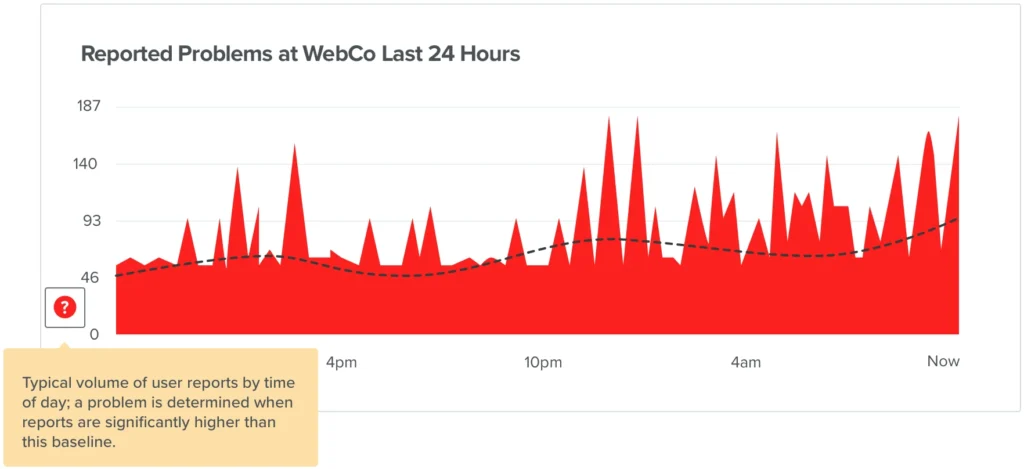
According to Downdetector, reports of Xbox Live not working began spiking significantly, with the platform recording thousands of user submissions within a short window. The spike follows the classic bell-curve pattern associated with major outages — a rapid rise in reports followed by a plateau as affected users wait for resolution.
Breakdown of Reported Issues on Downdetector
- Online play unavailable or dropping mid-session
- Sign-in errors preventing access to Xbox accounts
- Xbox app on PC failing to load or authenticate
- Xbox Game Pass library not loading or launching
- Party chat and friend list features showing as unavailable
Geographically, Downdetector’s heat map shows the highest concentration of Xbox Live outage reports in major urban centers across the United States, the United Kingdom, Germany, and Australia — suggesting the disruption is global rather than regional.
Official Xbox Live Down and Microsoft Response
At the time of writing, Microsoft has not published a detailed incident report. However, the official Xbox network status page — available at xbox.com/en-US/support/xbox-status — has flagged several services as experiencing issues, including online multiplayer, cloud gaming, and the Xbox social features hub.
Microsoft typically updates its status page in real time during outages and uses its official Xbox Support Twitter/X account to communicate with affected players. As of now, the company has acknowledged awareness of the issue but has not provided a timeline for restoration.
Users can monitor the official channels directly for the latest updates as Microsoft’s engineers work toward a fix.
Common Error Messages Users Are Seeing
Players reporting Xbox Live not working have described a variety of error codes and messages appearing on their screens. The most frequently cited include:
- 0x87DD0006 — Unable to connect to Xbox Live
- 0x800704CF — Xbox network is not reachable
- 0x8007013D — Sign-in failed, try again later
- 0x80190190 — Service unavailable or under maintenance
- “Sorry, the Xbox network is unavailable” — Generic connectivity error
These errors are typically server-side in origin and cannot be resolved by individual users through standard troubleshooting alone. However, some fixes may restore partial functionality while the outage persists.
Possible Causes of the Xbox Live Outage
While Microsoft has not confirmed the root cause, several common factors are typically behind large-scale Xbox Live outages. It is important to note that the following are general possibilities, not confirmed causes specific to this incident.
Potential Technical Causes
- Distributed Denial of Service (DDoS) attack targeting Xbox authentication servers
- Unplanned infrastructure failure or server cluster crash
- Botched software or firmware update rolled out to backend systems
- Database overload caused by a surge in simultaneous logins — often triggered after a major game release or free-to-play event
- Certificate expiration or DNS misconfiguration affecting routing
Microsoft’s Xbox network operates on a globally distributed infrastructure, meaning full outages of this scale are relatively rare. When they do occur, they tend to resolve within a few hours, based on the company’s historical incident response times.
How to Fix Xbox Live Down( Not Working): Temporary Workarounds
While an active Xbox Live outage is ultimately a server-side problem, there are several steps users can try to restore connectivity or minimize disruption in the meantime.
Troubleshooting Steps for Xbox Console
- Restart your Xbox console by holding the power button for 10 seconds, then unplugging for 30 seconds before rebooting
- Clear the Xbox network cache by navigating to Settings > General > Network Settings > Advanced Settings > Alternate MAC Address > Clear
- Sign out of your Xbox profile and sign back in — this can sometimes refresh the authentication token
- Switch from a wireless to a wired Ethernet connection to rule out local network issues
- Check your router and modem by restarting both devices to refresh your internet connection
Troubleshooting Steps for Xbox App on PC
- Restart the Xbox app and sign out, then sign back in
- Run Windows Update to ensure the app is on the latest version
- Open Windows Security and temporarily disable any overly aggressive firewall rules that may be blocking Xbox traffic
- Flush your DNS cache via Command Prompt: type ipconfig /flushdns and press Enter
If none of these steps help, the issue is almost certainly with Xbox servers themselves, and the best course of action is to wait for Microsoft to restore full service.
How to Check Xbox Network Status
Knowing where to look for accurate, real-time information is essential during an Xbox Live outage. Here are the most reliable resources to monitor:
- Xbox Network Status Page: visit xbox.com/en-US/support/xbox-status for Microsoft’s official, real-time service health dashboard
- Downdetector Xbox Page: downdetector.com/status/xbox-live shows a live graph of user-submitted outage reports over the past 24 hours
- Xbox Support on X (Twitter): @XboxSupport posts service alerts and updates directly to affected players
- Xbox Reddit Community: r/xbox often has real-time community updates from players actively troubleshooting
Cross-referencing at least two of these sources will give you the most accurate picture of whether the issue is widespread or isolated to your specific region or account.
Frequently Asked Questions (FAQs)
Is Xbox Live down right now?
Yes, Xbox Live is currently down for a large number of users, based on reports submitted to Downdetector and acknowledgment from the Xbox network status page. The outage began earlier today and is ongoing as of the time of publication.
Why is Xbox Live not working?
Xbox Live not working is most commonly caused by server-side issues on Microsoft’s end, including infrastructure failures, high server load, or network disruptions. Individual users cannot fix a server outage, but can verify whether the problem is global using Downdetector or the official Xbox status page.
How long will the Xbox Live outage last?
Microsoft has not provided an estimated restoration time. Historically, major Xbox Live outages have been resolved within two to six hours. The company will update its official Xbox status page as the situation develops.
Can I still play offline games during an Xbox Live outage?
Yes. Games that do not require an internet connection to operate — including most single-player titles — should remain playable during an Xbox Live outage. However, any features tied to the Xbox network, including achievements syncing, cloud saves, and multiplayer, will be unavailable.
How do I report an Xbox Live outage?
You can report an Xbox Live outage directly on Downdetector at downdetector.com/status/xbox-live by clicking the “I have a problem” button. You can also contact @XboxSupport on X or submit a support ticket through support.xbox.com.
Does an Xbox Live outage affect Game Pass?
Yes. Xbox Game Pass Ultimate features, including cloud gaming and online multiplayer for Game Pass titles, are dependent on the Xbox network. During an active outage, these services will be disrupted. Downloaded games playable offline will continue to function normally.
Conclusion: Stay Updated on the Xbox Live Outage
The current Xbox Live down situation is affecting thousands of users globally, impacting online multiplayer, sign-in services, cloud gaming, and social features. While Microsoft has acknowledged the issue, no fix or timeline has been confirmed at the time of writing.
For the most accurate, real-time information, players should bookmark the official Xbox network status page and follow @XboxSupport on X. Downdetector remains the best independent source for tracking whether reports are increasing or declining — a declining trend typically indicates that Microsoft’s engineers are making progress on a fix.
We will continue to update this article as new information becomes available. If Xbox Live service is restored or Microsoft releases an official post-incident report, those details will be added here.
Last updated: February 19, 2025. This article will be refreshed as the situation develops.
