
Microsoft Office may be one of the best ways to deal with documents, spreadsheets, and presentations, but it clearly isn’t the only option. People have been looking for Microsoft Office alternatives for a while, and different options appeal in different ways: better privacy, compatibility, or features. I often feel I am not paying Microsoft enough, but that hasn’t stopped me from looking for viable alternatives.
However, I have found something problematic with almost all Microsoft Office alternatives: the editing experience in their mobile apps. For what it’s worth, the Android and iOS apps for Microsoft Office do a decent job of letting us edit documents with ease. However, things change quite drastically when we consider the alternatives to Microsoft Office.
Mobile editing on most Office alternatives is still frustrating
The gap between desktop and mobile is wider than it should be

Let’s take Google Docs, for example. It is one of the best ways to create, edit, and manage documents online. All you need is a stable internet connection and a web browser to create Word documents, PPTs, and spreadsheets. However, the moment you start using its mobile apps, you will feel something different. There seems to be a noticeable gap between the editing experience on desktop devices and mobile ones.
This is ironic given how many flagship smartphones are equipped with a fully-fledged desktop mode. Yet, the moment you try to edit a Word document — or worse, an Excel spreadsheet — using a mobile app, you are in for a sluggish experience. Everything gets worse when you deal with multi-column layouts and advanced formatting. While some alternatives, like WPS Office, offer advanced features, they are kept behind a hefty upgrade.
At this point, we know this issue has almost nothing to do with the devices and more to do with the apps. So, this is easily fixable using a better-built Microsoft Office alternative.
OnlyOffice is the free alternative most haven’t given a fair shot
It has been around longer than you think, and it shows

I’m sure you have come across multiple alternatives, such as LibreOffice and WPS Office, if you were looking for a way out of Microsoft Office. OnlyOffice, however, has not been the most familiar name, even though the office suite has been available for over a decade. Yet, this open-source office suite can easily replace Microsoft Office while offering many features that other popular Office alternatives don’t.
OnlyOffice offers several options for different demographics: OnlyOffice Docs, OnlyOffice Personal, and OnlyOffice desktop editors and mobile apps. Our focus today is on the editor apps available for Windows, macOS, Linux, Android, and iOS. These apps allow you to create, edit, and manage popular Microsoft Office files without the worry of conversions. This office suite is marketed as a complete replacement for Microsoft Office, and the dedicated editor apps deliver on that front. It also helps that OnlyOffice has a UI that feels super-familiar when you shift from Microsoft.
However, the most underrated feature of the OnlyOffice suite is the support for mobile editing. It’s the easiest way to edit your documents, presentations, and spreadsheets on your Android or iPhone, second only to the Microsoft 365 apps.
OnlyOffice mobile apps bring a real editor to small screens
Not a trimmed-down version. The actual thing
OnlyOffice’s streamlined document management options are a solid reason to replace Microsoft Office with it. However, you see the real difference when you start using the mobile apps for Android and iOS. Above all, these apps bring a fully-fledged editing experience to your small screens, without major compromises, unlike Google Docs or Sheets on mobile.
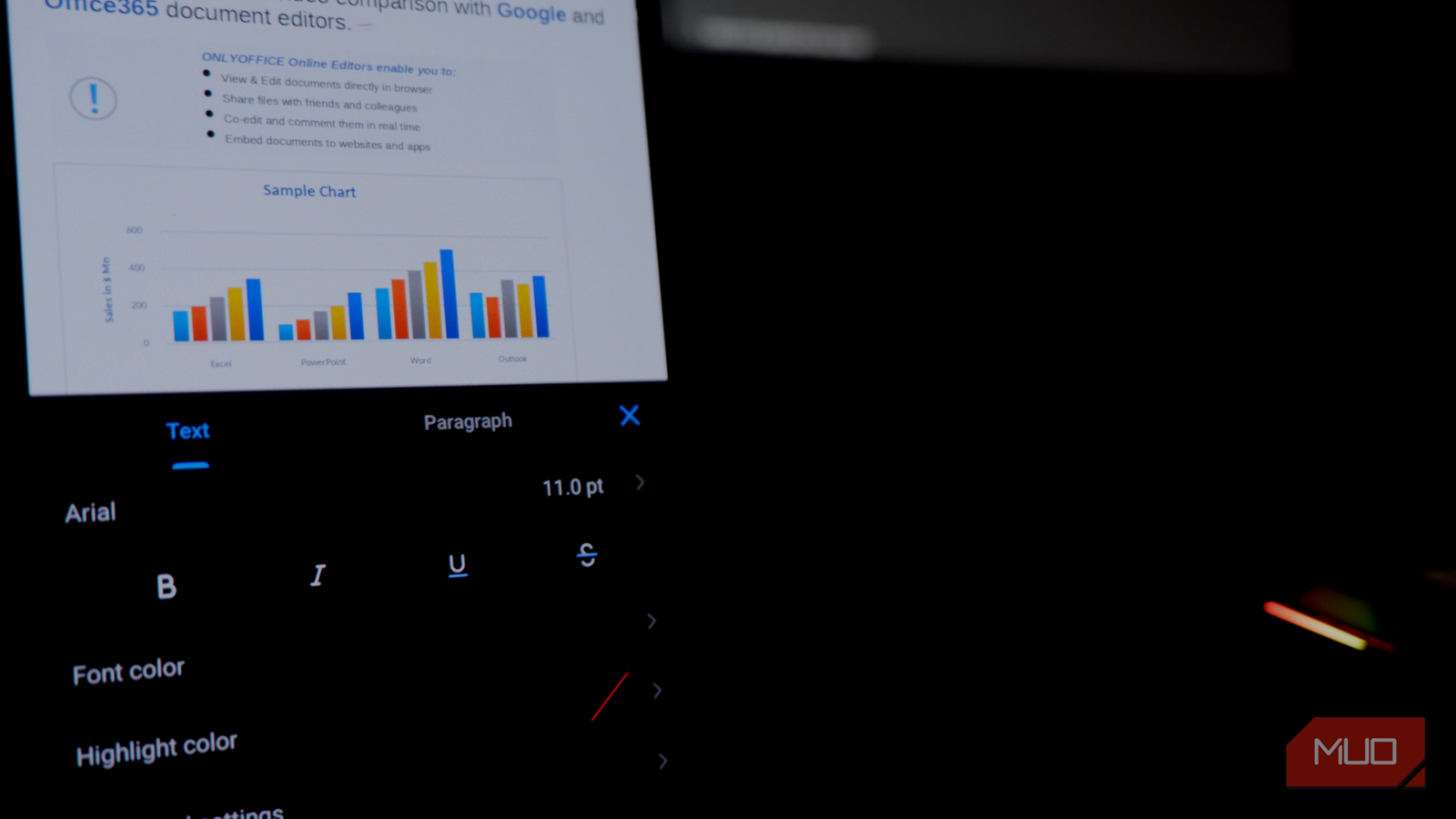
For starters, you get a smooth interface that works great even when you open a complex Word document. You can easily use this toolbar to access basic options like bold, italic, underline, and font color, but you can go a little further and explore advanced options, including strike-through, character spacing, and paragraph spacing. The best part? All these features work seamlessly.
Once you are done with editing, you can export, send a copy, or download this document in almost every popular format out there. OnlyOffice Mobile also offers multiple viewing options, image editing, and features for protection, printing, and spell check. It even lets you integrate AI service providers to bring features like proofreading or revisions.
OnlyOffice doesn’t stop at the basic features
You get a full suite of options
One of the things the OnlyOffice mobile apps offer is a super-impressive editing experience. However, this experience doesn’t stop at the basic functions that we have detailed. As you move between different file types and categories, you are introduced to newer features.
You also get corresponding features for Excel and PowerPoint files. For instance, the formula bar on the spreadsheet editor simplifies everything, whereas the slide editing options on the presentation module make it easy to optimize your PPTs. Even with so many features, everything stays compact. The way OnlyOffice arranges the various toolbars and options is equally intuitive.
I found it effortless to move between multiple slides, sheets, and pages. This ease felt like the norm, even as I handled large spreadsheets and multi-page Word documents. Overall, you get a balanced document editing experience on your smartphone without spending a penny! Compared to what Google Docs and WPS Office offer, these options are indeed a definite upgrade.
OnlyOffice doesn’t get everything right, though
There are times when OnlyOffice for Android and iOS doesn’t feel perfect, though. While it packs advanced features, you can’t rely on it for macros or VBA support. Similarly, you may not have the same level of organizational integration that Microsoft Office provides.
Despite all these, OnlyOffice mobile apps are a clear upgrade over the mobile apps we’ve seen from Google Docs and WPS. More importantly, this free app has everything needed to replace Microsoft 365’s paid versions on Android and iOS.
