
If you’re still accessing your home Docker setup through the terminal, are you even evolving? My containers were running, services were responding, and my server wasn’t throwing any obvious errors. On paper, everything looked fine. In reality, it felt like I was babysitting a system that only behaved because I kept poking it with the right commands at the right time. Not fragile enough to panic. Not smooth enough to trust. That awkward middle ground where things work … until they very suddenly don’t.
Managing everything through the terminal had quietly turned into a ritual. SSH in, run docker ps, squint at container names. I definitely chose in a moment of overconfidence, open logs, miss something, open more logs, question my life choices, and repeat. It worked, but it wasn’t clean. It wasn’t fast. And it definitely wasn’t something I enjoyed. Installing Portainer didn’t magically make Docker better. It just removed the layer of friction I had gotten so used to that I stopped noticing it was there.
Why terminal-based Docker management wears you down
It’s not difficult, it’s just constantly working against you

Docker’s command line isn’t the enemy here. If anything, it’s impressively consistent. The problem is how fragmented the experience becomes once your setup grows beyond “hello world.” You’re checking running containers in one place, logs in another, networks somewhere else, and configs in files you swear you organized properly at some point in the past. Every action is simple in isolation, but nothing lives in the same place.
So your brain becomes the glue. You’re constantly rebuilding context. Which container is tied to which port. Which volume maps where. Which service depends on what. It’s like juggling, except the balls are invisible and occasionally on fire. That’s fine when you’re sharp and focused. It’s less fine when you just want to restart something quickly without turning it into a full investigation.
Portainer turns Docker into something you can actually see
A proper overview replaces guesswork and memory tests

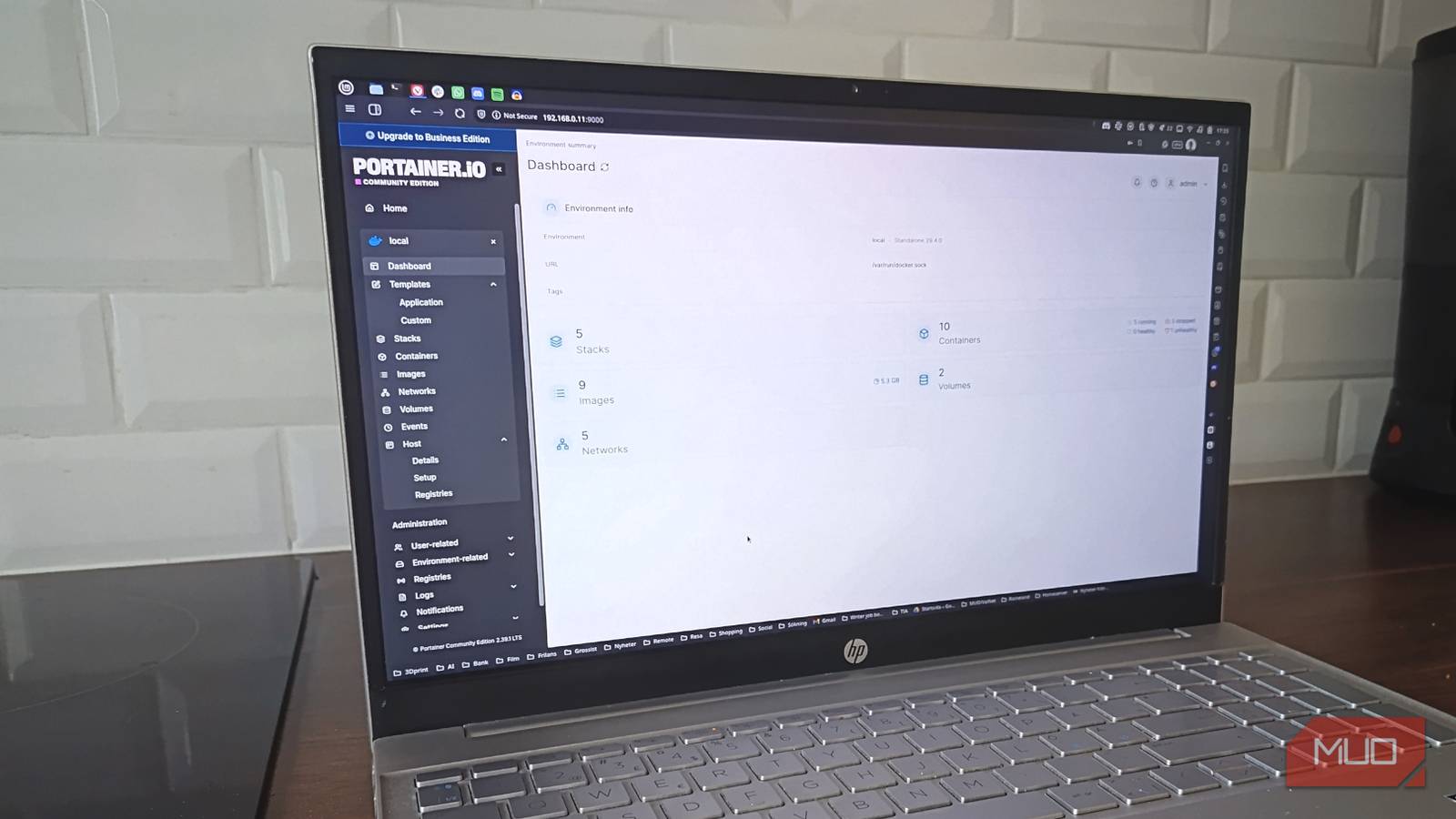
The first time I opened Portainer in my browser, I had a very specific reaction: mild annoyance at how much easier this was. Not because it’s flashy or revolutionary, but because it shows you everything you’ve been trying to keep in your head. Containers, statuses, resource usage, ports, volumes, logs. All in one place, laid out in a way that doesn’t require translation. Instead of asking Docker a series of questions and assembling the answers like IKEA furniture without instructions, you just … look at it.
Restarting a container takes a click. Checking logs takes a click. Verifying a port mapping doesn’t involve guessing which command gives you the least confusing output. It’s not doing anything new. It’s just removing the need to remember everything all the time, which turns out to be a massive upgrade.
Troubleshooting stopped feeling like a chore
When context is visible, fixing things stops being a process
One of my containers recently decided to misbehave in that particularly annoying way where nothing outright fails, but everything feels slightly off. No dramatic crash, no clear error, just vibes that suggest something isn’t right. In the past, that would have meant going through my usual checklist. Check status. Pull logs. Cross-reference configs. Open another terminal. Realize I forgot something. Start over.
This time, I opened Portainer and the problem basically introduced itself. The container status wasn’t healthy; the logs pointed to a configuration issue, and the port mapping didn’t match what I thought I had set. Fixing it took less than a minute. More importantly, it didn’t feel like I was doing detective work. The system told me what was wrong without making me interrogate it first. That’s the shift. Troubleshooting stops being a sequence of steps and becomes something closer to common sense.
Managing Docker Compose stacks without losing your sanity
Your configs stop feeling like scattered evidence

Docker Compose is brilliant right up until you have more than a couple of services running. Then it quietly turns into a pile of YAML files with names like docker-compose-final.yml and docker-compose-actually-final.yml. You tell yourself it’s organized. Deep down, you know it’s not. Portainer treats these setups as stacks, which means you can deploy, edit, and update them from the same interface. Instead of digging through directories trying to remember where everything lives, you get a clear overview of what’s running and how it’s configured.
That alone eliminated a surprising amount of friction for me. I stopped hesitating before making small changes because I could immediately see what they affected. I stopped second-guessing whether I was editing the right file. I stopped pretending I had a system when I clearly had a pile. It turns out clarity beats discipline every single time.
Why I’m not going back to terminal-only management
The biggest difference wasn’t speed. It was behavior. Before Portainer, every small task had just enough resistance to make me delay it. I’d notice something slightly off and think, “I’ll deal with that later,” because “later” meant opening a terminal session and mentally reconstructing my setup. Later, of course, is where small problems grow teeth. With Portainer, that barrier is gone. I check things more often because it’s easy. I update containers because I can see them. I fix issues while they’re still minor because the effort required is almost zero.
It didn’t make me more disciplined. It made discipline unnecessary. The terminal still has its place. When I need precision or want to script something, I’m right back there, typing commands like nothing changed. But for day-to-day management, using only the CLI now feels like insisting on navigating with a compass when you have a perfectly good map in your pocket. And once you’ve seen your entire setup laid out clearly in a browser, going back to guessing your way through it feels less like power-user behavior and more like self-inflicted friction.
