
There’s a drawer, bin, or shelf in your home with the old tech products you rarely use but can’t justify throwing away. If you’re anything like me, it might include a handful of spare Android phones. They come in handy if a flagship phone is lost or breaks, giving you a backup until your primary device is repaired or replaced. However, if you wait to make use of your spare Android phone until a need arises, it could rot away in a junk drawer forever. That’s why I proactively put my extra Android devices to use as a smart home helper.
With a few free apps, you can turn your Android phone into a smart home controller, home security camera, media server player, or digital toolbox. It quickly becomes an indispensable companion that can be mounted at your bedside table or on your desk, replacing a dedicated smart screen. This is how I did it — and how you can too.
Google Home
It connects my entire Matter smart home device ecosystem
I’ve tried all the popular smart home ecosystems, and the one I’ve settled on is Google Home. It has excellent cross-platform support, so you can use it on Android, iOS, and the web. Plus, it works with the open industry standard Matter to bridge smart devices across ecosystems together. In other words, you don’t have to be deep into the Google Home or Nest ecosystems to use the Home app to manage your smart home. As a user of Google Nest security cameras, routers, thermostats, and displays, I can say that it certainly helps, though.
After setting up the Google Home app and connecting your Matter smart home devices, your spare Android phone becomes a standalone smart home controller. You can customize your favorite toggles in the Home app to create a homepage that serves as a visual smart home dashboard. In my case, I can look into my live camera feeds, change the temperature of my apartment, or check the status of my Wi-Fi network at a glance. Using Google Assistant or Gemini, you can interact with the Home app with your voice, effectively turning that old Android phone into a smart speaker and display.

- OS
-
iOS, Android
- Price model
-
Free, with Google Home Premium subscriptions
- App Type
-
Smart home
Google Home is a smart home controller app that brilliantly connects Matter devices together. The app works especially well for anyone deep into the Google Home or Nest hardware ecosystems, which include thermostats, cameras, displays, smart speakers, and more.
Symfonium
Or any other Android music player and streamer
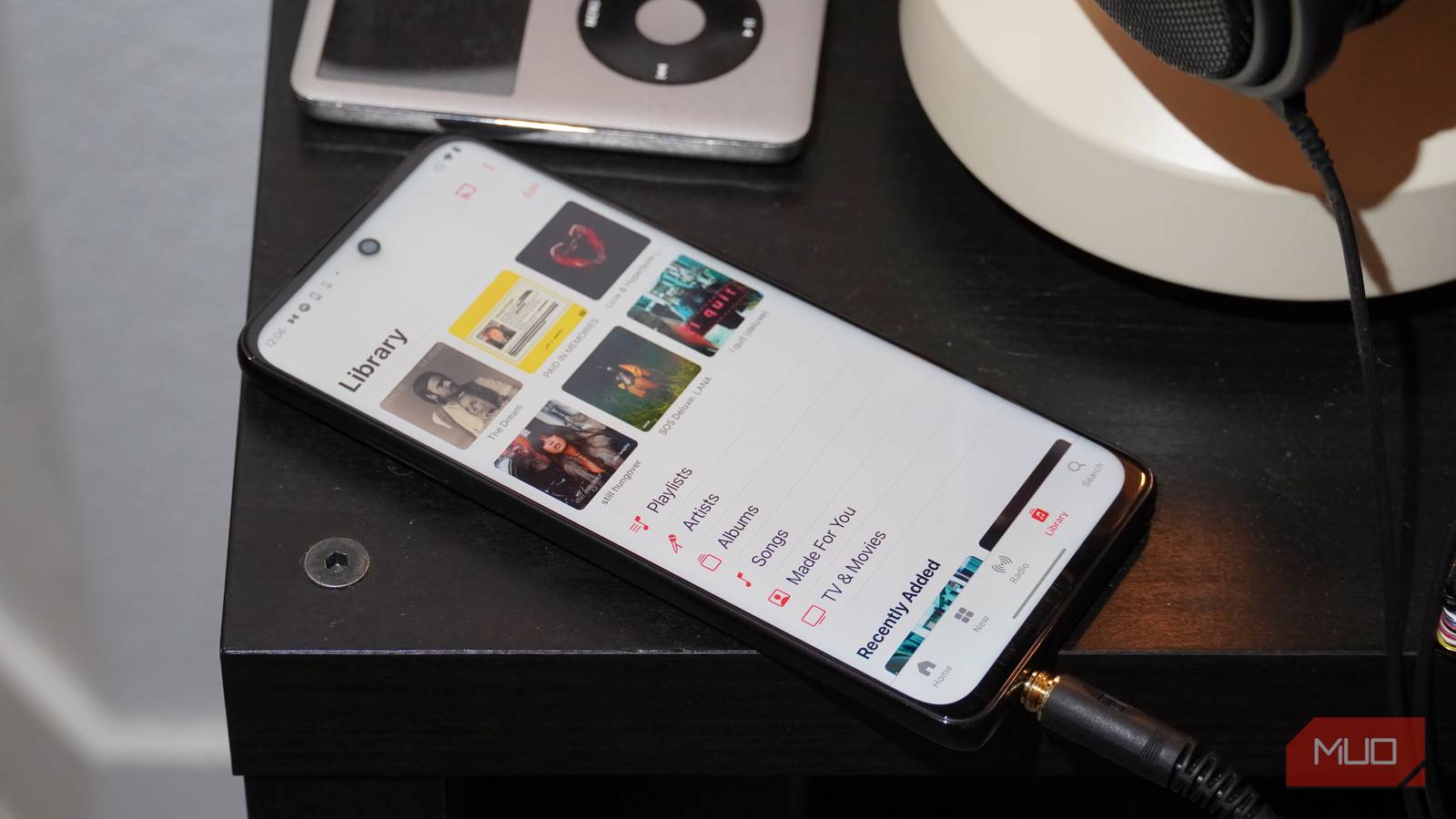
An extra Android phone can quickly become the perfect way to interact with your home media server. Using the app Symfonium, I can store music libraries including up to 300,000 tracks on my devices, with scanning and indexing support. This is superb for old Android phones with expandable storage compatibility, as a 1TB microSD card can handle all your music and media needs. Since these devices typically have Wi-Fi, Bluetooth, and Google Cast support, an old phone will be able to interact with any home speaker system, including ecosystems like Sonos.
The app is compatible with a variety of audio file formats, ranging from lossless formats like ALAC and FLAC to lossy ones such as Opus and Vorbis. You also get smart playlists, a built-in equalizer, metadata scraping, and playback caching.

The best part, though, is Symfonium’s support for home music servers. If you already have a dedicated song library available on your network, this app helps a spare Android phone tap into that server. For example, it connects to platforms like Plex, Emby, Jellyfin, and Subsonic. It’ll even work with amateur cloud storage platforms such as Box or Google Drive. This makes it easy to set up your phone as a controller or streamer for the music server you already have.
If you don’t have a music server, don’t fret. You can run on-device libraries with Symfonium, and of course, you can swap this app for the music streamer of your choice (Apple Music, Spotify, etc.) while deploying a spare device the exact same way.

- OS
-
Android
- Subscription Price
-
$5
.99
- Price model
-
One-time in-app purchase (free trial)
Symfonium is an Android music player app specifically suited for people with large music libraries. It has a modern design with customization, advanced features like gapless playback and silence skipping, as well as wide support for audio formats.
Alfred Camera
Turn your old Android phone into a free home security camera
I’m not a huge fan of always-on home security cameras. Unless you’re running an end-to-end encrypted or closed-circuit security system, there are too many privacy weak points to leave cloud-based cameras recording 24/7. However, I do see the value in having security cameras deployed for specific situations. I keep cameras in my home that are only used when I’m away or expecting a stranger to enter, like for routine apartment maintenance or inspections. It might be hard to justify buying a dedicated camera for infrequent use, and that’s where your spare Android phones come in.
With the free app Alfred Camera, it’s easy to turn an old Android phone into a security camera with all the expected features, including live video streaming, motion detection, and local recording. It can also stream over the cloud to other devices using the mobile app or web viewer, if you’d prefer. The app uses 256-bit AES encryption, but again, I’d rather pick and choose when my home is being recorded. In that case, I can prop up a spare Android phone as a security monitor using Alfred Camera temporarily, and simply take it down when I’m finished.

- OS
-
iOS, Android, web
- Subscription Price
-
$5
.99
- Price model
-
Free with optional subscription
Alfred Camera is a free security camera app that lets you turn any phone into a live streamer and video recorder. The free version supports single-device livestreaming, motion detection, and on-device recording. More features can be unlocked with a $29.99/yr. or $5.99/mo. subscription.
Get tools like a ruler, protractor, and level with one app
If you’re not big on building a smartphone, there’s still a smartphone app that turns your old devices into a helpful household tool. It’s called Physics Toolbox, and I must admit, it’s simply fun to play around with. The app can detect metal, identify the notes of sounds, and visualize motion. However, if you want more practical tools, the Physical Toolbox app has those too.
There’s an inclinometer mode that turns your phone into a level, which is helpful for hanging photos or building furniture. You get a protractor, compass, and ruler, too. The ruler isn’t just a “dumb” ruler either — you can specify the exact length you want down to the hundredth decimal point. Plus, there’s a calibration tool to ensure accuracy. Rather than use the basic apps that may or may not have come with your phone, install Physics Toolbox to help with your next household project.

- OS
-
Android, iOS
- Price model
-
Free with $4.99 one-time upgrade to Pro
Physics Toolbox is a data recording app that uses your smartphone’s sensors to display scientific information for analysis. It can showcase sensor data, record it, and export it as a CSV file for advanced users. It’s available as a testing playground for curious users or a robust option for researchers and teachers.
Why you should repurpose your old Android phone
We replace devices before they actually become obsolete — the latest smartphones receive software updates for up to seven years, but the most common upgrade cycle is every three years. While an extra phone is sitting in a drawer, it still has a usable life. However, the longer it rots away in a bin, the less helpful it will be when you finally decide to pull it out. That’s why you should make use of any spare Android phone you have before it heads to the recycling center. It’s still valuable for use around the home for smart (and dumb) tasks.
