
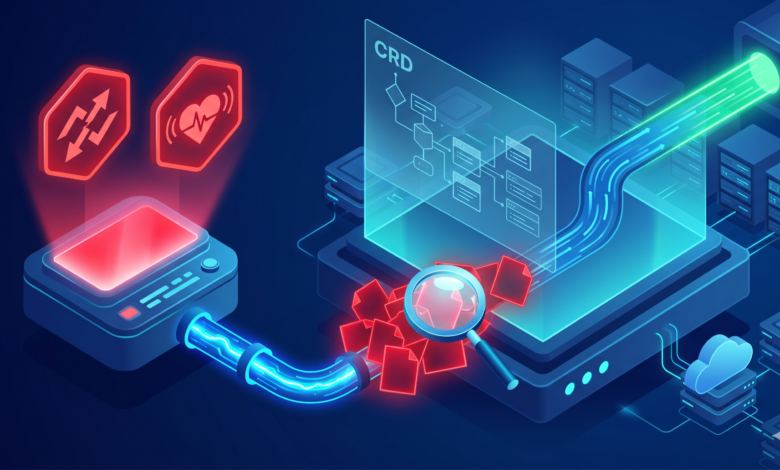
Half of my Saturday had been wasted, but I only realized it after looking at ArgoCD. The status of my Helm-based application is OutOfSync and Degraded along with a little heart icon that was pulsing in red. The resource that has this status was a CustomResourceDefinition (CRD). All indications were that the CRD was installed properly, the CRD controller was functioning, and a kubectl get crd command returned the expected results. However, ArgoCD refused to accept the existence of the CRD. I tried to continue troubleshooting by clicking Sync and watched the spinner turn for ten minutes, and then receive the unfortunate toast message that the “Sync has failed”. As anyone would know, refreshing the ArgoCD web page or using a prune command manually would not get the sync to go through.
After a lengthy journey through the logs of the CRD controller, fighting against annotations, and having several failed attempts, I determined what caused Helm CRDs to confuse ArgoCD, and how to fix this issue permanently.
Quick Summary
- The primary reason why CRDs become OutOfSync or Degraded after a Helm release
- How to establish CRDs using the Replace strategy or Server-Side Apply
- The safe way to bypass validation from a
argocd skip dry run crdwhen all other options have failed - A list of webhook timeout and sync wave ordering to ruin your day
- How to make design-level changes to fix this looping issue before it occurs.
Identifying CRD Synchronization Failures in Your Cluster
Analyzing Controller Logs and UI Status
CRD synchronization failures may be identified by accessing the logs of the CRD controller, as well as by checking the user interface status of the CRD in ArgoCD. Additionally, I observed in the ArgoCD UI that the CRD resource tile had an OutOfSync and Degraded status in red. In the APPLICATION DETAILS section, I clicked the CRD resource node to review the diff displayed in the Web UI.The diff panel in the application indicated that the currently running version did not correspond to the version specified in the YAML files, despite the differences only being in things like .metadata.generation, .metadata.resourceVersion, or some huge spec.versions[].schema.openAPIV3Schema blob that had the same contents as my manifest.
To see this information yourself, navigate to the application tile and select it. Next, click on the top tab labelled RESOURCES then enter the filter with kind:CustomResourceDefinition. You should now see the sync state and the DIFF button. Go ahead and click DIFF; expect to see a barrage of red and green text that is impossible to decipher.
The logs produced by the application-controller within ArgoCD produced similar evidence. A kubectl logs -n argocd deployment/argocd-application-controller command produced output similar to:
time="..." level=error msg="Sync comparison failed for resource CustomResourceDefinition/myresource.example.com" error="the object has been modified; please apply your changes to the latest version and try again"
The output clearly illustrated a difference between the way in which ArgoCD is diffing the live version against the dry-run apply method implemented by ArgoCD, which was invoked when a controller or webhook has just processed a large Custom Resource Definition (CRD) on post-creation.
Validating Cluster Prerequisites and Helm Chart Structure
Rather than attack this problem by throwing config flags, I began by checking that certain basic requirements were met. I verified that the CRD was created either by the Helm Chart, from crds/, or using the Helm chart template with helm.sh/hook: crd-install (for findings). If a Helm chart puts a CRD into a standard template and NOT via a hook, Helm manages this CRD as any other resource, creating further sync problems. I also checked to see if the Kubernetes API server was experiencing resource quota issues when attempting to create a CRD and whether the CRD was the appropriate storage version.
The second check was “Does kubectl explain <resource> provide a valid result?” The reason the controller could not reconcile was that the CRD’s internal schema did not register properly with the controller. In my instance, this problem was just with ArgoCD’s diff engine because the resource was otherwise functional.
Root Causes of argocd outofsync degraded custom resource definitions helm
The Size Limit Problem and kubectl Annotations
In my experience, the largest contributor to this issue was the kubectl.kubernetes.io/last-applied-configuration annotation, especially in cases where CRDs have large OpenAPI schemas. When you run a kubectl apply, Kubernetes saves the entire manifest within this annotation to later compute a 3-way diff. Due to the size limits of the annotation (approximately 262144 bytes), it is possible for CRDs to have their annotations truncated or never written at all.
I ran this command to verify:
kubectl get crd myresource.example.com -o yaml | grep -A5 "last-applied-configuration"
My results returned nothing; the annotation was entirely absent. Because there was no annotation present, ArgoCD’s diff logic fell back on directly comparing the CRD to see if any field’s value diverged from that of the runtime version. Thus, the UI correctly indicates that the resource is OutOfSync even though no functional change had occurred due to the missing annotation.
ArgoCD also employs its own annotations to track status synchronization of resources. But, since the Kubernetes annotation is not present, the diff will not have any way of knowing that the two annotations do not match. This is why mismatched argocd.argoproj.io/sync-status annotations occur.
Conflicting CustomResourceDefinition Lifecycle Management
Helm handles CRDs’ lifecycle management independently from the lifecycle management of the rest of the chart resources. Therefore, by default, after a CRD has been installed, Helm 3 will not update or roll back that CRD when a Helm upgrade or rollback occurs. In contrast, ArgoCD applies the CRD as part of the overall application desired state. When deploying the CRD, ArgoCD executes a kubectl apply dry run against the CRD.When a CRD already has an entry in Kubernetes and it has been deployed via a previous Helm hook, then when running a dry run, you would encounter an error; a clash between how the apply‑patch computes and how the CRD controller or webhook immediately modifies the resource (i.e., the resource’s metadata.generation, status.conditions, and metadata.annotations fields, and the kubectl.kubernetes.io/last-applied-configuration annotation).
Here is what I tried that did not resolve my problem: I used the Force Sync button, switched the Prune button on and off to see if that would clear the error, and finally, I manually deleted the CRD resource in ArgoCD so it could run a new installation of the same resource. The delete/re-installation method worked once, however, on the next Helm upgrade I got the same OutOfSync error again. That was when I realized that applying CRDs is fundamentally different than applying other resources and one can’t just brute force it to work.
Resolution Paths for Helm CRD Sync Issues
There are multiple ways to resolve sync issues between Helm and CRDs.
Enabling argocd server-side apply configuration
The best way I have discovered to fix Helm sync issues with CRDs is to use ArgoCD’s server-side apply (SSA) configured to perform the sync process. Instead of doing a client-side create/update via the three-way patch compute the client sends the original manifest (desired) to the API server and the API server merges the resources into it, giving the fields their own ownership. Using this method, you can completely bypass the annotation size limitations and the object has been modified errors generated.
To enable SSA in the Application Manifest add the following syncPolicy entry:
apiVersion: argoproj.io/v1alpha1
kind: Application
metadata:
  name: my-app
spec:
  syncPolicy:
    syncOptions:
      - ServerSideApply=true
This entry indicates to the application-controller that it should use a declarative apply for the CRD, all resources created via ArgoCD now had an OutOfSync status and subsequent diffs show only the intended changes that have been made.
It is stated in the ArgoCD Server-Side Apply documentation that SSA is the best method of working with CRDs, secrets, and any resource that hits an annotation size limit.
Choosing between replace vs apply argocd sync options
If Server-Side Apply does not meet your cluster requirements (for example, if you’re on an older version of Kubernetes that doesn’t yet support stable field management), you may choose to use the Replace sync option for ArgoCD. The Replace option forces ArgoCD to use the kubectl replace command instead of the kubectl apply command. The difference between these two commands is that the kubectl replace command completely overwrites the specified resource whenever ArgoCD syncs, whereas the kubectl apply command only updates the fields that were created by the user. Because the Replace option completely overwrites all fields in the specified resource (including any fields that are managed by other controllers), it is best practice to scope its use down to a specific resource using an annotation rather than at the application level.
Add an annotation to your CRD template in the Helm chart, as shown below:
metadata:
  annotations:
    argocd.argoproj.io/sync-options: Replace=true
Be cautious when using the Replace option because it will cause the metadata.generation bump to be removed and can create issues for controllers that require the use of this increment. You should only use the Replace option after verifying that your CRD schema will remain unchanged throughout the sync period. The decision of whether to use the Replace or Apply sync option is often based on how frequently your CRD controller communicates.
Bypassing Validation with argocd skip dry run crd
If you have an urgent need to manually sync a CRD that has the status of OutOfSync due to continuous errors during dry-run validation, you can completely skip the dry-run step by using the CLI to execute this command:
argocd app sync my-app --resource customresourcedefinitions:myresource.example.com --skip-dry-run
Using this method, you bypass the diff check and push the CRD manifest directly to the API server. In other words, this command acts as a “patch and hope” method. I only utilize the argocd skip dry run crd command when I know the states of the two clusters are identical and the differences are purely cosmetic.This may help you out of an issue, but it does not resolve any of the primary logic regarding comparisons. You’ll want to use this as a “break glass” emergency response option.
Managing State with argocd hook delete policy crd update
In some cases, when assessing a chart upgrade, you may need to delete and recreate the CRD. For example: Changing scope: Namespaced to Cluster or changing a version’s name. The Helm hook mechanism will do this, but if the deletion mode is not set up properly, you will have issues with old versions being in conflict with newer versions. Utilizing a BeforeHookCreation delete mode within a sync hook allows the CRD to be deleted and recreated without conflicts caused by older versions. Below is a sample Helm template for the CRD using hooks to delete it and create a new version.
apiVersion: apiextensions.k8s.io/v1
kind: CustomResourceDefinition
metadata:
  name: myresources.example.com
  annotations:
    helm.sh/hook: crd-install, crd-upgrade
    helm.sh/hook-delete-policy: before-hook-creation
    argocd.argoproj.io/sync-wave: "-10"
The combination of the argocd hook delete policy crd update ensures that during a sync wave, the previous CRD is deleted immediately prior to applying the new CRD. If the before-hook-creation delete policy is not used, the previous version of CRD remains and will result in a conflict error during reconciliation.
Troubleshooting a kubernetes webhook timeout argocd during Sync
A subtle bug that sometimes mimics a sync failure is an admission webhook timeout. When a dry-run apply is initiated by ArgoCD for a large CRD, the validating webhook that is called by the API server can take so long to react that it times out. This will generate an error in the event logs that manifests in the form of a generic sync failure message within the ArgoCD UI.Using event logs retrieved through:
kubectl get events -n default --field-selector reason=Failed --sort-by='.lastTimestamp' | tail -15
show me lines something like this:
LAST SEEN   TYPE      REASON              OBJECT                            MESSAGE
102s         Warning   WebhookTimeout      customresourcedefinition/myres    failed calling webhook "validation.svc.local": Post "https://webhook-service.kube-system.svc:443/validate?timeout=10s": context deadline exceeded <-- admission webhook timeout
The two fixes to this issue are 1. to increase the timeoutSeconds parameter of your webhook to 30s in your ValidatingWebhookConfiguration or 2. If the webhook is not a critical component of your CRD, you can exclude that object from the CRD using the objectSelector. If your schema has grown to a hyper-large size and you don’t want to increase the timeoutSeconds parameter of your webhook, numerous viable patches to the webhook’s failure policy can be utilized during the first sync, but the last resort is setting it to Ignore.
Prevention and Best Practices for Continuous Delivery
Implementing syncwave ordering helm charts for Dependencies
One of the most common problems that happens when you’re doing deployments with ArgoCD is related to the order in which resources are applied. When an ArgoCD sync occurs, the Custom Resource Definitions must be available before any Custom Resource instances can be created. When deploying a large tarball containing multiple Helm Charts as one single tarball, it’s quite possible that your CRD is not available before attempting to apply the Custom Resource, causing the Custom Resource to fail.
To avoid this issue, Sync Waves make the job of handling the order of resources very simple! By annotating the CRD templates with wave: -1, they will be applied before anything else is applied.
apiVersion: apiextensions.k8s.io/v1
kind: CustomResourceDefinition
metadata:
  name: myresources.example.com
  annotations:
    argocd.argoproj.io/sync-wave: "-5"
By providing a more abundant wave for the Custom Resource like "0" or "1", ArgoCD will ensure that the Custom Resource Definitions are created before any Custom Resource instances are created during a sync operation. This method has resolved all of the Degraded states for which I was searching.
For more information on the phased approach, see the official documentation for ArgoCD Sync Waves.Before I deployed 20 overlapping charts, I wish I had read this information.
Decoupling CRDs from Application Deployments
The long-term solution I found to my problem wasn’t to apply a change to sync options; rather, it was to change my deployment architecture. I stopped packaging CRDs in with the application Helm chart and instead created an “infra” chart to install only CRDs and their controllers, with a separate ArgoCD Application for managing them using ServerSideApply=true. My primary application Application references the required CRDs with a Prune=false specified so that it does not try to control them.
With this separation, the CRD has an independent lifecycle, and upgrading a CRD will not impact an application’s sync status. Although it requires maintaining an additional ArgoCD Application, this approach eliminates the daily frustration of phantom diffs.
Frequently Asked Questions
Why does ArgoCD show degraded after a successful Helm upgrade?
When helm upgrade is complete, even if it is reported as a success, an immediate comparison is run by ArgoCD itself. This means that if the status fields of the CRD live state are different from their stored CRD manifest due to the status being added by the CRD’s controller, or if the CRD is missing the last-applied-configuration annotation, the ArgoCD UI will show the CRD as Degraded. A degraded status doesn’t mean the CRD has failed; it simply indicates that the ArgoCD diff mechanism sees a different-than-expected state for the CRD and cannot fix itself automatically. The recommended fix is to use the Server-Side Apply method to allow a drift comparison to use the field-managed status of the resource.
How do I force sync a CRD that is stuck in OutOfSync?
To force sync a CRD that shows as OutOfSync, you will need to use the ArgoCD CLI command with the --skip-dry-run flag, as indicated above. Use this command only as a temporary workaround. To provide an ongoing resolution to the issue, you can configure either of the following: set the ServerSideApply=true flag in the sync options on the Application, or annotate the CRD with Replace=true. If the CRD is significant in size, you may also need to use the command argocd app sync --resource <crd> --force to prune the unsynced state from the CRD; be aware, however, that using force replace could affect the controller’s ability to keep the resource sequence monotonic.
Can I ignore specific fields in a CustomResourceDefinition to fix sync status?
It is indeed possible to ignore certain fields in a CRD by using the IgnoreDifferences configuration inside the ArgoCD Application specification. Additionally, adding wildcard paths (for example, .status or .metadata.generation) to the ignore specification may be useful. That said, ignoring can be considered a temporary patch since newer runtime fields may potentially generate an OutOfSync notification.
spec:
  ignoreDifferences:
    - group: apiextensions.k8s.io
      kind: CustomResourceDefinition
      jsonPointers:
        - /status
I found that IgnoreDifferences frequently fails to work as described on resources that have very large schemas due to the diffs being computed prior to the ignore logic processing. Of the two methods available, I consider Server-Side Apply to be the better option.
