
Summary
- Nothing has announced Nothing Warp, a free tool for transferring files between phone and computer.
- The tool consists of a smartphone app (available for most Android phones) and a browser extension (for Chromium-based browsers).
- It uses Google Drive as an intermediary, so speeds depend on your internet connection and file size.
Nothing has announced a new product, but this time, it’s not a device — it’s a free file transfer tool called Nothing Warp. The tool aims to simplify what is an unfortunately complicated process: moving files between your phone and computer.
This browser-based file transfer tool does what LocalSend does without installing anything
PairDrop has made my daily file transfers a breeze instead of a bluster.
What is Nothing Warp?
Simplifying cross-platform sharing

Nothing Warp is a tool that helps simplify file transfers between your computer and phone. It consists of a browser extension (available for Chromium-based browsers) and a smartphone app. Nothing Warp works in both directions — computer to phone or phone to computer.
Nothing claims the browser-based nature keeps the tool “lightweight and broadly compatible across setups,” and that’s largely true. The browser extension works on Windows, Mac, and Linux, while the phone app is also available for most Android phones, not just Nothing phones. So nearly any combination of devices should be able to use it — the only catch is that you need a Chromium-based browser. Most popular browsers fall in this category, including Chrome, Edge, Opera, Brave, and the newly released Samsung Browser. Firefox and Safari fans are out of luck, though.
Nothing Warp uses your own Google Drive for file transfers. Nothing claims it doesn’t store your files, and “your data stays yours.” Of course, you’ll have to grant permission for Google Drive access for the tool to work, so you’ll have to take their word on that. Don’t worry about taking up storage space, though — Nothing seems to delete the files from Drive once the transfer is complete.
How does Nothing Warp work?
It’s actually very simple
First, you’ll need to get things set up. You can grab the browser extension from the Chrome Web Store, while the Android app can be downloaded from the Play Store (or a QR code in the extension, if you install that first. Since Nothing Warp uses Google Drive, you’ll need to sign in to your account on both devices. Once that’s done, you’re ready to share.
Sharing from your phone to your computer

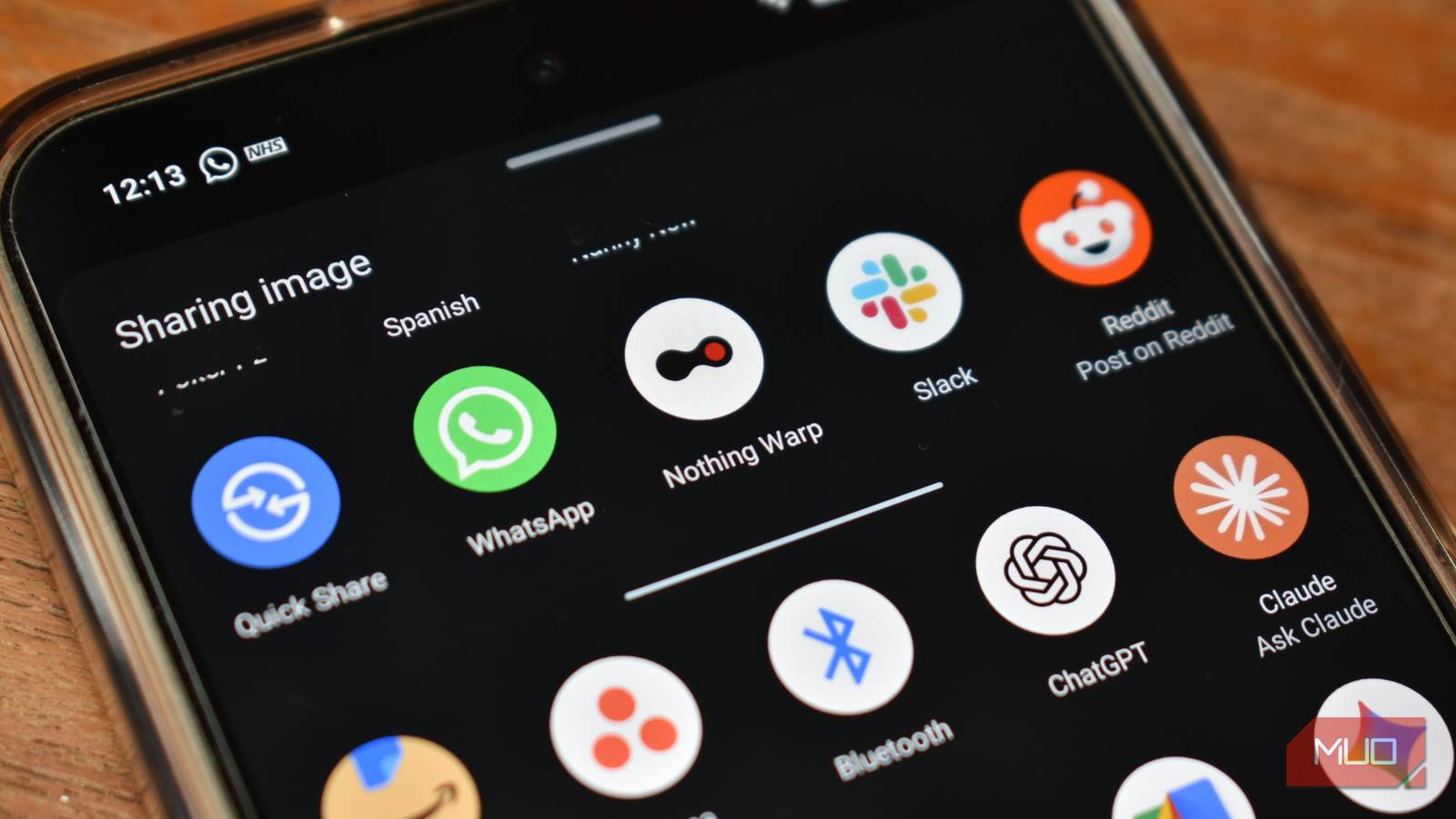
On phones, Nothing Warp uses the Android share sheet. So just open the content you want to share, tap Share, and choose Nothing Warp from the menu. The file will then appear on your computer. Note that, since the file is stored in the cloud, you’ll have to download it — it’s not a direct transfer.
Sharing from your computer to your phone

On the desktop, there are three ways to share:
- Open the Nothing Warp extension in your browser and click Upload to select files from your computer.
- Copy a file or text, then open the extension and hit Ctrl+ V or Command + V to paste directly from your clipboard.
- Highlight content in the browser, then right-click and select Send with Nothing Warp.
The whole process is quite smooth, and the actual file transfers are quick. However, since it uses Google Drive, your internet speed and the size of the file will likely play a part in how fast it is for you. I can see large videos over mobile data being rather slow, especially since you will need to both upload it to share and then download it on the receiving device. Something like AirDrop (which now works with Pixels and some Samsung devices) will likely be faster.
Nothing Warp is available as of 4/15/26. Nothing is calling this an “early community project,” so features are probably subject to change. The company is also seeking feedback, so if you try it and there’s something you don’t like, definitely let them know.
